
Preserve update access before certificates expire
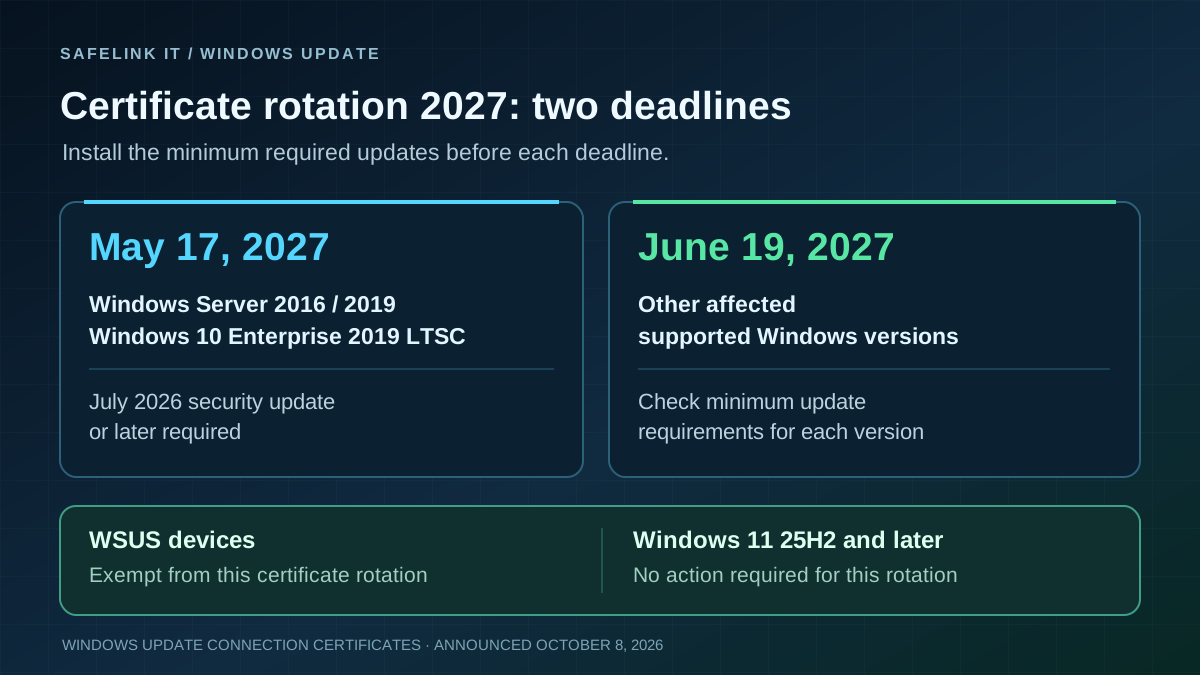
On October 8, 2026, Microsoft announced a certificate rotation for Windows Update. Certificates used for trusted connections expire on May 17 or June 19, 2027. Affected devices without the replacement certificates will then lose access to Windows Update, including the ability to receive further security updates.
Minimum updates that must be installed
- Windows 10 Enterprise 2019 LTSC, Windows Server 2016 and 2019: install the July 2026 security update or later before May 17, 2027.
- Windows 11 24H2 and Windows Server 2025: install the September 2025 security update or later before June 19, 2027.
- Other supported Windows 11 versions, Windows Server 2022 and supported Windows 10 versions: install the July 2026 security update or later before June 19, 2027.
Windows 11 version 25H2 and later need no additional action for this rotation. Devices running supported Windows versions with current monthly updates are generally already prepared. These update levels are technical minimums; continue deploying current security updates in production. This certificate rotation does not extend product support.
Check update sources and overdue devices
Devices receiving updates through WSUS are exempt from this change. Check the operating system version, installed update level and actual update source together in your inventory.
Include notebooks that rarely connect, systems left powered off and older installation images. Install missing updates before the relevant deadline and verify that devices can retrieve updates successfully. Plan migration to a supported release for Windows versions that are no longer supported.