
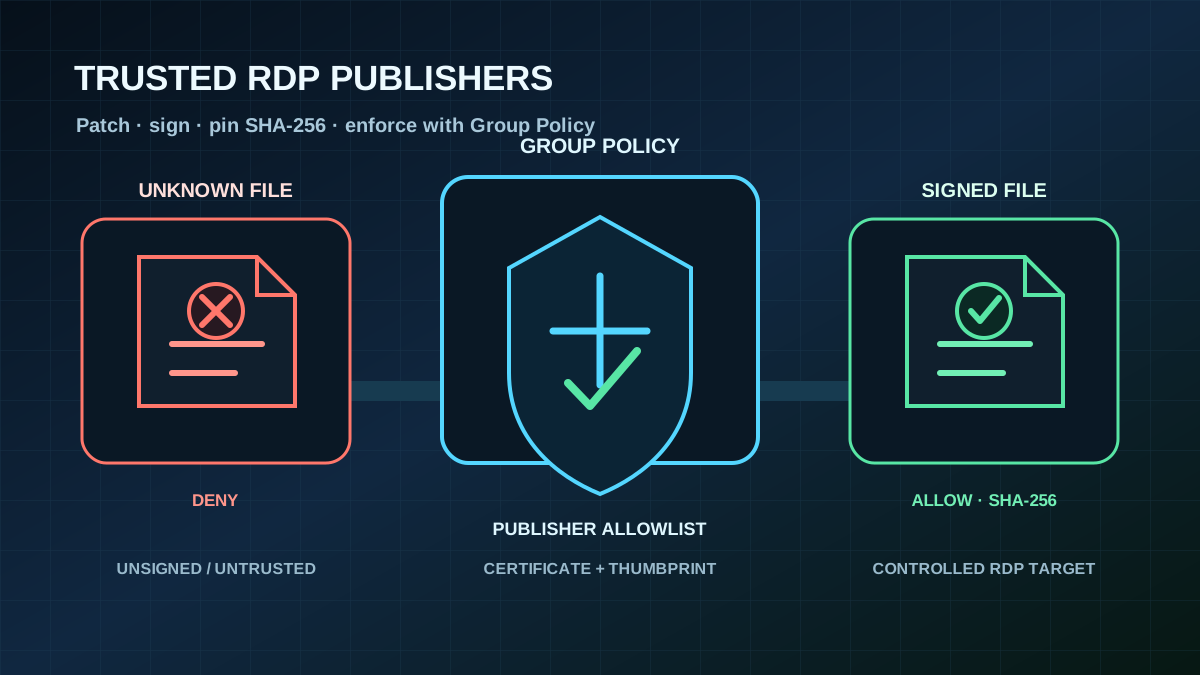
July updates extend RDP publisher trust
With the July 2026 Windows security updates, the Group Policy for trusted .rdp publishers supports SHA-2 certificate thumbprints in addition to SHA-1. Microsoft retains SHA-1 temporarily for backward compatibility and plans to remove it in a future Windows release. New and existing RDP publisher pins should therefore use at least SHA-256.
The change applies to the classic Remote Desktop Connection client mstsc.exe on Windows 10, Windows 11, and supported Windows Server releases. It is more than routine cryptographic maintenance: an RDP file defines the target for a Remote Desktop session and can request redirection of local resources such as drives, the clipboard, or printers. Manipulated or uncontrolled files are therefore a practical phishing path to an untrusted RDP endpoint.
Three policies decide which connections can start
The settings are located under Computer Configuration > Administrative Templates > Windows Components > Remote Desktop Services > Remote Desktop Connection Client. A restrictive client baseline requires three decisions:
- Disable
Allow .rdp files from unknown publishers. This blocks unsigned RDP files. - Disable
Allow .rdp files from valid publishers and user's default .rdp settings.mstsc.exethen starts only files signed by an explicitly trusted publisher. Connections launched manually from the Remote Desktop Connection interface are also blocked in this mode. - Enable
Specify thumbprints of certificates representing trusted .rdp publishers. The list must contain only the organization's designated RDP signing certificates and should use SHA-256 or stronger thumbprints.
After migration, the computer policy Do not allow SHA-1 thumbprints can reject unprefixed legacy entries entirely. SHA-2 values use the matching prefix, such as sha256:; the updated policy Help describes the accepted syntax.
A matching thumbprint is a specific trust decision, not a replacement for sound PKI operations. The certificate chain, validity, key protection, and owner must be documented. Signed files from a listed publisher can automatically enable the redirections requested in the file without another security warning. Separate policies for drive, clipboard, printer, and device redirection therefore remain necessary.
Deploy without breaking legitimate remote access
Before enforcement, administrators should inventory every legitimate source of RDP files: RemoteApp feeds, RD Web portals, support tools, jump hosts, and locally maintained administrative shortcuts. Each source needs an owner and a defined signing path. RDS deployments can use the certificate assigned to the RDPublishing role to sign published connections automatically; other files can be signed in a controlled process with rdpsign.exe.
A dependable rollout has four steps:
- Install the July updates on a representative pilot group of client and administrative systems.
- Distribute the organization's RDP signing certificates and SHA-256 thumbprints.
- Test RemoteApp, direct administrative connections, and every required redirection in the pilot.
- Remove unsigned files and SHA-1 pins only after legitimate connections have fully moved to the new path.
The immediate check: inventory distributed .rdp files, block unknown publishers in a pilot GPO, and migrate every internal publisher pin to SHA-256.