
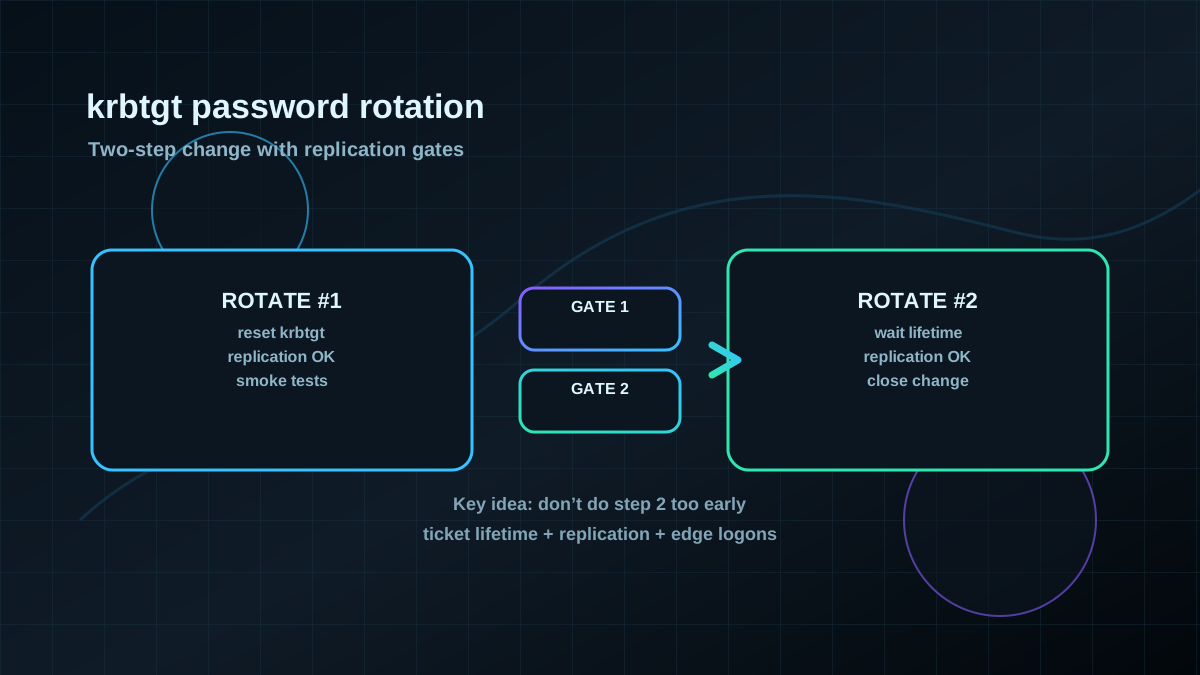
Starting point: krbtgt is not “just an account” — it anchors ticket validity
Every AD domain has an account named krbtgt. In practical terms, its secret underpins how Kerberos tickets are protected and accepted as “valid” in the domain.
That has two real-world consequences:
- If
krbtgtis compromised, Kerberos tickets can remain usable for a long time. - Rotating
krbtgtis effective, but only if you do it operationally cleanly (replication, ticket lifetimes, dependencies).
Treat krbtgt rotation as an explicit hardening change — not as an afterthought in a “let’s rotate some passwords” ticket.
Target state: a controlled, auditable rotation with minimal operational risk
A good target state is concrete:
- Rotate
krbtgttwice (two-step rotation), with defined waiting time in between. - Align timing with Kerberos ticket lifetimes (no guessing).
- Verify DC replication health before and after each step.
- Document the change: timestamps, who executed it, what was validated, what replication looked like.
- Keep operations in control: break-glass plan, comms window, fast validation.
Validate prerequisites: ticket lifetimes, replication, edge cases
Before changing anything, clear these items:
Kerberos ticket lifetimes (this drives your waiting period)
Relevant values include the Domain Policy settings for:
- Maximum lifetime for user ticket (TGT)
- Maximum lifetime for user ticket renewal
- Maximum lifetime for service ticket
Read the effective values from GPO/Domain Policy and document them. They define how long old tickets may realistically remain in use.
Replication (because “changed” is not “arrived everywhere”)
krbtgt rotation only behaves predictably when replication is healthy.
Pragmatic checks:
repadmin /replsummary
repadmin /showrepl
Edge cases you should explicitly plan for
- RODCs: if you have read-only DCs, include them in your operational plan.
- Multiple domains / trusts:
krbtgtis per-domain; plan and execute per domain. - Legacy Kerberos behavior: rotation often surfaces existing drift (time sync, DNS, SPNs, old clients). That’s not necessarily “caused by rotation”, but you need to be ready to handle it.
Implementation: run it as a two-step change with clear gates
The goal is not “fast”, it’s predictable.
Phase 0: preparation (validation signals and comms)
- Pick a change window (typically off-peak).
- Define validation:
- logon and access to critical services (file shares, intranet, VPN, federation components if used)
- DC event logs for Kerberos-related failures
- replication checks before/after each step
- Set up a comms path for rapid triage if logons fail.
Phase 1: first rotation
Technically, you reset the password of krbtgt (don’t “set a human password”). A pragmatic example:
Import-Module ActiveDirectory
Set-ADAccountPassword -Identity krbtgt -Reset -NewPassword (Read-Host -AsSecureString "New krbtgt password")
Operational notes:
- Don’t store the new password “somewhere”. This is a domain secret; your goal is rotation, not reuse.
- Document: start time, executor, domain, replication status immediately before and after.
Phase 2: wait until old tickets are realistically expired
Between rotation 1 and 2, wait long enough for old tickets to age out:
- At minimum: longer than the maximum relevant ticket lifetime (plus safety buffer).
- Also account for edge logons: remote users, offline laptops, rarely used services.
Most krbtgt incidents are self-inflicted by doing the second rotation too early.
Phase 3: second rotation (complete the practical ticket invalidation)
Reset krbtgt again:
Import-Module ActiveDirectory
Set-ADAccountPassword -Identity krbtgt -Reset -NewPassword (Read-Host -AsSecureString "New krbtgt password (2nd rotation)")
Afterwards:
- verify replication again
- run your service/logon smoke tests
- close out the change record
Pros and cons / limits (explicit)
Pros
- Strong ticket invalidation: after a clean two-step rotation, old potentially-abusive Kerberos tickets are much less likely to remain valid.
- Auditable hardening step: you can prove it happened and was validated.
- Useful IR lever: rotation is a standard containment step when Tier-0 compromise is suspected (as part of a broader response).
Cons / limits
- Operational risk if poorly timed: ignoring replication or ticket lifetimes can cause authentication issues.
- Not a substitute for root-cause work: if Tier-0 is compromised, rotation is only one building block alongside forensics and privileged access redesign.
- Surfaces drift: time/DNS/SPN/legacy client issues won’t be “fixed” by rotation — they may become visible (which is good, but creates workload).
Common pitfalls (seen repeatedly in real projects)
- Doing rotation 2 too early (ticket lifetime not understood).
- Assuming replication is “probably fine” instead of verifying it.
- “We’ll do it at night” with no defined validation gates and owners.
- Not planning per-domain in multi-domain environments.
- Not including key legacy services/accounts in a smoke-test set.
Project checklist: deliver krbtgt rotation cleanly
- [ ] Domain scope and sequencing defined (if multiple domains).
- [ ] Ticket lifetime values documented (effective domain policy).
- [ ] Replication verified (
repadmin), issues resolved or risk accepted. - [ ] Change window, comms plan, and owners assigned.
- [ ] Validation scenarios defined (at least 5–10 critical services/logon paths).
- [ ] Rotation 1 executed; replication proven; validation OK.
- [ ] Waiting period (>= ticket lifetime + buffer) completed and documented.
- [ ] Rotation 2 executed; replication proven; validation OK.
- [ ] Lessons learned captured (what broke, what to add to future smoke tests).