
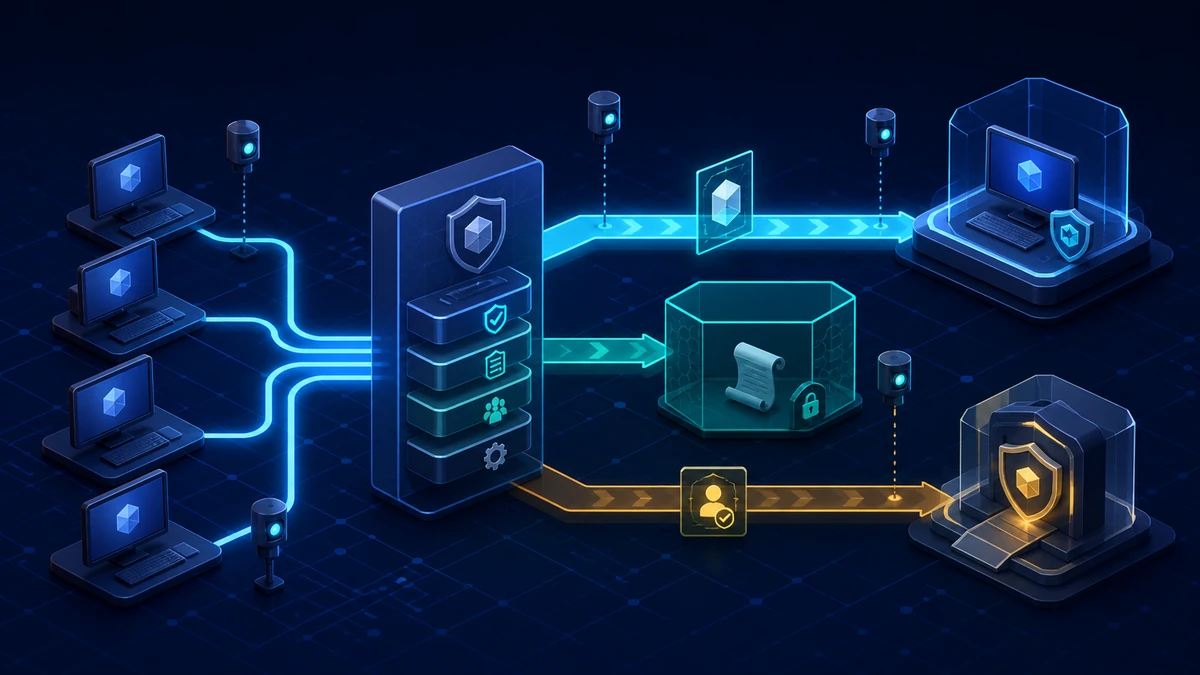
Starting point: uncontrolled execution is the problem, not the visible console
PowerShell is part of the management and automation model of modern Windows environments. The operating system, endpoint management, software deployment, monitoring, EDR and business applications use PowerShell or hosted PowerShell runspaces. A blanket block on powershell.exe therefore often breaks legitimate operations first while still failing to create a reliable security boundary.
In a mature Active Directory environment, the starting point often looks like this:
- Windows PowerShell 5.1, PowerShell ISE and PowerShell 7 have not been inventoried separately.
- The local execution policy is
RestrictedorAllSigned, so PowerShell hardening is considered complete. - Software control blocks only
powershell.exewhile ignoringpwsh.exe, ISE, remote endpoints and hosted runspaces. - Standard users can start scripts from profile, download, temporary or writable share paths.
- Internal scripts are unsigned, stored in modifiable directories or have no technical owner.
- Administrators use the same interactive shell on ordinary user devices as standard users.
- Script block logging and transcription are missing, or they write sensitive content to unprotected local folders.
- A hard block would interrupt logon scripts, management agents, installers, support tools or developer workflows.
Execution policy is only a safety and usability feature. It controls the conditions under which PowerShell loads script files, but it does not prevent interactive command entry and is not a boundary against a determined user. RemoteSigned or AllSigned can improve script hygiene; they do not replace execution control.
PowerShell itself also gives a standard user no additional privileges. The shell initially automates only what the user's token, file permissions, network access and application entitlements already allow. Risk emerges from the combination of a capable language, reachable management surfaces, allowed native programs, weak permission chains and missing code control. That complete chain is what hardening must constrain.
Target state: standard users retain only controlled capabilities
A sustainable target is not a domain-wide “PowerShell off.” It separates user, automation and administration paths:
- Every PowerShell host is known. Windows PowerShell 5.1, PowerShell 7, ISE, remote endpoints, scheduled tasks, management agents and embedded runspaces are recorded per device class.
- Application Control provides the technical boundary. A system-wide App Control for Business policy with User Mode Code Integrity controls applications, scripts and modules. AppLocker is retained only as a transition where a reliable implementation already exists.
- Standard users operate under System Lockdown. Interactive PowerShell runs in Constrained Language Mode; depending on the platform, host and policy, untrusted scripts are blocked or constrained.
- Trusted automation is explicitly authorized. Signed scripts, modules and dependencies originate from administratively protected build and distribution paths.
- Execution policy serves hygiene only. The intended value is centrally managed, but it is neither documented as a security boundary nor used as a substitute for Application Control.
- Privileged work happens on separate systems. Admin accounts do not sign in to ordinary user devices; Full Language automation runs on controlled management systems.
- Delegated tasks use JEA. Users receive only the required cmdlets, functions and parameters through a hardened remote endpoint, not a general administrative console.
- Relevant telemetry is defined and protected. Script blocks, required modules, transcripts and Application Control events are collected centrally, access-controlled and retained appropriately.
- Device classes have distinct policies. Standard clients, developer devices, admin workstations, kiosks and servers do not blindly share the same execution boundary.
- Rollback and exceptions are predefined. Every authorization has an owner, scope and review date; recovery uses tested policy rings instead of local disablement.
The important distinction is simple: a hidden shell is only harder to find. System-wide code and privilege control limits what can actually run.
Implementation: move PowerShell into a controlled operating model
1) Inventory hosts, policies and dependencies without changing state
Start with representative devices from every class. The following read-only check shows available PowerShell programs, the state of the current session and the execution policy values in effect at each scope:
& {
  Set-StrictMode -Version Latest

  $hostNames = @(
    'powershell.exe'
    'powershell_ise.exe'
    'pwsh.exe'
  )

  $hosts = Get-Command -Name $hostNames -All -ErrorAction SilentlyContinue |
    Select-Object Name, CommandType, Source, Version -Unique

  [pscustomobject]@{
    HostName            = $Host.Name
    PSEdition           = $PSVersionTable.PSEdition
    CurrentVersion      = $PSVersionTable.PSVersion.ToString()
    ProcessPath         = (Get-Process -Id $PID).Path
    CurrentLanguageMode = $ExecutionContext.SessionState.LanguageMode
  }

  $hosts
  Get-ExecutionPolicy -List

  if (Get-Command -Name Get-AppLockerPolicy -ErrorAction SilentlyContinue) {
    $effectivePolicy = Get-AppLockerPolicy -Effective
    $effectivePolicy.RuleCollections |
      Select-Object CollectionType, EnforcementMode
  }

  $ciTool = Get-Command -Name CiTool.exe -ErrorAction SilentlyContinue
  if ($ciTool) {
    (& $ciTool.Source -lp -json | ConvertFrom-Json).Policies |
      Select-Object PolicyID, FriendlyName, IsEnforced, IsAuthorized, IsSigned
  }
}
CurrentLanguageMode describes only the host running the current session. It does not prove how another host, an untrusted script or a service process is treated. Repeat the test with Windows PowerShell and PowerShell 7 and with a representative standard-user account.
Get-AppLockerPolicy shows only the effective AppLocker configuration, not loaded App Control for Business policies. CiTool lists those policies on supported releases starting with Windows 11 22H2 and Windows Server 2025. On older systems, include the central deployment source and successful policy activation events 3099 from Microsoft-Windows-CodeIntegrity/Operational in the inventory.
On older platforms, also check whether the optional PowerShell v2 engine is still present. It may already be removed or unavailable on current Windows releases:
Get-WindowsOptionalFeature -Online |
  Where-Object FeatureName -Like 'MicrosoftWindowsPowerShellV2*' |
  Select-Object FeatureName, State
Depending on the platform, this read-only query requires an elevated session. If the v2 engine is still installed, remove it after compatibility testing; it lacks important modern protection and logging capabilities.
Enrich the technical inventory with software deployment, EDR and Task Scheduler data. Include .ps1, .psm1 and .psd1 files, internal signing chains, logon scripts, scheduled tasks, WinRM endpoints, RMM and endpoint-management jobs, and applications that host PowerShell through libraries. Searching for a process named powershell.exe is not enough.
2) Separate device classes and administration paths
First define the required operating model for each device class:
- Standard clients: interactive use is constrained while authorized enterprise scripts remain functional.
- Kiosk and production devices: PowerShell hosts and unnecessary management tools can be blocked by policy or, where supported, removed from the image.
- Developer workstations: a dedicated policy covers controlled toolchains, local test areas and strict separation of privileged identities.
- Privileged access workstations and management servers: authorized administrative modules and scripts are available, but ordinary user communication and office work are not.
- Servers: separate policies exist per role; backup, monitoring, clustering, deployment and recovery are tested completely.
App Control for Business is primarily a device control. An enforced UMCI policy also affects administrators on that system. Do not try to make ordinary user endpoints double as unrestricted admin workstations. Separate systems or narrowly defined remote endpoints provide a cleaner privileged path.
Accounts follow the same separation. Standard accounts are not local administrators. Privileged identities do not sign in to user clients and their credentials are not cached there. Service and deployment accounts receive only the logon types and target systems required by their operating model.
3) Pilot Application Control as System Lockdown
For new target architectures, App Control for Business – formerly Windows Defender Application Control – is the preferred platform. Enable User Mode Code Integrity and make a conscious decision to retain script enforcement. A mature existing AppLocker deployment can provide a transition, but new PowerShell hardening should not depend on a script-rule collection alone.
PowerShell detects an effective System Lockdown policy. Interactive sessions then run in Constrained Language Mode. Trusted scripts and modules allowed by the Application Control policy can run in Full Language Mode; depending on the Windows and PowerShell version, unauthorized content is blocked or executes only with restrictions. This is why policy and PowerShell versions must be tested together.
Constrained Language Mode restricts capabilities such as free access to arbitrary .NET and COM APIs. It is not a full block: permitted cmdlets, core language elements and authorized native programs remain available and continue to operate with the user's rights. Setting a language mode manually in a profile or process is not an enforceable boundary. The intended protection exists only when the operating system recognizes System Lockdown.
Every new or substantially changed Application Control policy starts in an audit ring. Audit does not automatically mean “no impact”: some script hosts and PowerShell versions can already change behavior or log additional restrictions. Test real workflows instead of merely waiting for block events.
The pilot must cover at least:
- interactive commands with standard and administrator accounts,
- signed and unauthorized scripts,
- modules, manifests, nested modules and dot-sourcing,
- logon and startup scripts,
- software deployment, RMM, EDR, monitoring and backup,
- WinRM, scheduled tasks and helpdesk tools,
- disconnected devices, policy updates and rollback.
Expand scope only after a normal patch and software update cycle. Do not automatically authorize every script observed during audit. Execution proves use, not trust.
4) Deliver trusted scripts like software
An authorized script can run with Full Language capabilities under System Lockdown. Its supply chain therefore deserves the same protection as an application:
- Source code is kept in a versioned repository with review and an accountable owner.
- A controlled build creates the deployable script or module.
- A dedicated code-signing identity signs only approved artifacts; the private key is not stored on developer or user devices.
- Application Control authorizes only the required signers, products, files or managed distribution paths; for signed PowerShell content, the signature chain's root CA must also be present in the device's trusted root store.
- Target directories and shares are not writable by standard users.
- Updates, module dependencies and certificate rollover are tested in the pilot; dependent modules are also authorized and export functions explicitly without wildcards.
- Obsolete authorizations and hash exceptions have an expiry and review date.
“Digitally signed” does not automatically mean “safe for this purpose.” An overbroad publisher rule can authorize every script from a signer. A valid signature also does not make an unsafe parameter, plaintext secret or overpowered function safe. Review, secret handling and least privilege remain necessary.
Avoid dot-sourcing in authorized modules. If it is unavoidable, every included file must pass the Application Control policy independently. Implicit or wildcard-based function exports are not only difficult to review under System Lockdown; they can also fail across trust boundaries.
Execution policy can be set centrally to AllSigned or another value appropriate to the operating model. This provides consistent user-facing rules and visible signature failures. Document explicitly that it is intentionally only an additional hygiene layer.
5) Configure Windows PowerShell and PowerShell 7 separately
The classic Windows PowerShell settings are typically located under:
Computer Configuration
  Policies
    Administrative Templates
      Windows Components
        Windows PowerShell
This branch contains settings for script block logging, module logging, transcription and script execution. PowerShell 7 ships PowerShellCoreExecutionPolicy.admx, the corresponding .adml and InstallPSCorePolicyDefinitions.ps1 in $PSHOME. Import version-controlled copies into the Central Store and configure them under the separate Administrative Templates > PowerShell Core branch.
A Windows PowerShell GPO therefore does not prove that pwsh.exe receives the same settings. Verify both hosts and the event channels they actually populate. Also record which team updates the ADMX version when PowerShell 7 moves through its servicing channel.
Remove PowerShell ISE and legacy engines where no dependency remains. This reduces legacy surface but still does not replace code control. Applications can host PowerShell components without opening a visible console.
6) Publish delegated admin tasks through JEA
When helpdesk or operations staff require selected administrative actions, a general local PowerShell session is usually the wrong authorization. Just Enough Administration instead exposes a registered remote endpoint with fixed roles.
A JEA role includes only the required cmdlets, functions, providers and external programs. Parameters are restricted to safe values or patterns where possible. The session typically uses NoLanguage mode and can perform privileged actions through temporary virtual accounts or a controlled gMSA identity. The user receives a defined capability rather than permanent membership in the underlying administrator role.
The run-as identity is a critical design decision: without RunAsVirtualAccountGroups, a virtual account belongs to the local Administrators group on member systems and even to Domain Admins on a domain controller. Restrict it to explicit local or domain groups, or host the endpoint on a separate management system. A gMSA is appropriate when network access is required, but every session shares the same run-as identity. Attribution to the connecting user then depends on protected JEA transcripts and correlated logs.
Treat JEA with the same care as an API:
- Endpoint and role-capability files are writable only by administrators.
- Exposed functions validate every parameter and normalize paths.
- Arbitrary script blocks, freely chosen programs and unrestricted file paths are not passed through.
- Roles map to small AD groups and are periodically recertified.
- Transcripts and PowerShell events are collected centrally and protected.
- Endpoint versioning, availability and recovery are tested.
JEA is not a general sandbox for arbitrary user scripts. It is a controlled path for clearly defined administrative tasks and complements execution control on the client.
7) Enable logging without creating a new secret store
For Windows PowerShell 5.1 and PowerShell 7, evaluate at least script block logging and the modules relevant to operations. Transcription can improve support and accountability. Application Control events add the decision made for each file: allowed, audited, constrained or blocked.
Collect the data through Windows Event Forwarding, EDR or a SIEM. Useful correlation fields include user, device, host generation, process ancestry, script or module path, signer, hash, language mode, policy version and change window. An isolated event without device and user role provides too little context.
Script blocks and transcripts can contain passwords, tokens, connection strings, personal data or internal paths. At minimum:
- keep plaintext secrets out of scripts and parameters,
- retrieve secrets from a vault with short-lived authorization,
- use protected central log targets instead of user-writable local folders,
- restrict read and delete permissions,
- define retention and privacy review,
- use Protected Event Logging where technically and operationally supported.
AMSI, EDR and logging improve visibility and detection quality. They do not replace control over which code may run in the first place.
8) Make enforcement, exceptions and recovery operable
Move from audit to enforcement in small rings: security/workplace lab, IT pilot, representative business teams, standardized client waves and finally separate special-purpose devices. Developer and admin systems receive their own changes.
Define measurable release criteria before enforcement: no unexplained management failures, authorized scripts with valid trust chains, the expected language mode, complete event forwarding, tested offline devices and a documented rollback. A defect in a system-wide Application Control policy can affect more than PowerShell, so recovery must use the policy platform rather than improvised local registry changes.
Every exception records the application or script, signer or hash, device scope, user requirement, owner, rationale, expiry date and test evidence. User-writable allow paths are not acceptable exceptions. A separately protected break-glass path exists for emergencies and receives after-action review; it is not a permanently broad allow rule.
Benefits
- Enforceable execution boundary: Application Control evaluates scripts, modules and applications system-wide instead of blocking a visible process name.
- Reduced access to powerful runtime features: Constrained Language Mode limits arbitrary .NET and COM access for untrusted code.
- Legitimate automation remains available: Controlled, built and authorized enterprise scripts continue to operate.
- Clear separation of privileged work: PAWs, management servers and JEA endpoints keep admin identities away from ordinary user clients.
- Better accountability: Signer, policy decision, language mode and PowerShell telemetry can be evaluated together.
- Maintainable delegation: JEA replaces broad local or domain roles with small, testable task interfaces.
- Less false assurance: Execution policy, logging and AMSI have clearly scoped roles instead of being treated as complete hardening.
Drawbacks and limits
- System-wide impact: A defective Application Control policy can disrupt management, installers and applications beyond PowerShell.
- Two PowerShell generations: Windows PowerShell 5.1 and PowerShell 7 have different policy, logging and servicing paths.
- Signing operations require maintenance: Code-signing keys, certificate rollover, modules and dependencies need a reliable lifecycle.
- Trusted scripts remain powerful: Code allowed by policy can run in Full Language Mode and must be reviewed and protected accordingly.
- Constrained Language is not a full block: Permitted cmdlets and native programs remain usable; user rights and other Application Control rules still matter.
- Not every interpreter is integrated: An allowed third-party host may treat scripts differently and requires separate assessment.
- Audit can change behavior: Depending on host and version, script enforcement can be operationally visible during the audit ring.
- Logging creates sensitive data: More telemetry increases protection, storage and privacy obligations.
- JEA requires product ownership: Roles, parameter boundaries, endpoint availability and transcripts need continuous testing.
- Developers need different boundaries: A standard-client policy is usually too narrow for build, test and debugging workflows.
Common pitfalls
- Blocking only
powershell.exe:pwsh.exe, ISE, remote endpoints and hosted runspaces remain out of scope. - Treating
RestrictedorAllSignedas a boundary: Execution policy does not stop determined interactive use. - Setting language mode in a profile: The user can influence the process or profile; only System Lockdown creates the intended boundary.
- Allowing every signed script: A signature is not business approval, and broad publisher rules expand the trust scope.
- Authorizing writable paths: Anyone who can replace an allowed file controls that execution path.
- Testing only
.ps1: Modules, manifests, dot-sourcing, binary modules and nested dependencies also matter under policy. - Assuming audit is passive: PowerShell or another script host can already react with restrictions.
- Confusing Constrained Language with blocking: Many cmdlets and authorized native programs remain available.
- Forgetting the PowerShell 7 ADMX: Windows PowerShell settings do not automatically cover the separate host completely.
- Expecting unrestricted admin work on the same client: System Lockdown is device-wide; privileged work needs a separate path.
- Exposing overbroad JEA commands: Arbitrary paths, programs or script blocks can turn a narrow task surface back into a general console.
- Keeping logs local and open: Transcripts and script blocks can become a valuable secret store themselves.
- Automatically allowing audit findings: Frequent or existing use does not prove trustworthiness.
- Testing management agents only after enforcement: A broken EDR, backup or deployment path also makes recovery harder.
- Distributing local exceptions: Unversioned one-off changes create an invisible second policy state.
Project checklist
- [ ] Inventory Windows PowerShell 5.1, PowerShell ISE, PowerShell 7 and hosted runspaces for each device class.
- [ ] Record logon scripts, scheduled tasks, WinRM, software deployment, RMM, EDR, monitoring and backup dependencies.
- [ ] Document effective execution policy and current language mode with standard and administrator accounts.
- [ ] Review existing AppLocker and Application Control policies for scope, mode and script enforcement.
- [ ] Reconcile loaded Application Control policies through
CiToolor Code Integrity event3099with the deployment source. - [ ] Find the PowerShell v2 feature on legacy platforms and remove it after compatibility testing.
- [ ] Split standard clients, developer devices, PAWs, kiosks and servers into separate policy groups.
- [ ] Decide which enterprise scripts and modules still require Full Language.
- [ ] Establish repository, review, build, code signing and protected distribution for those artifacts.
- [ ] Verify write permissions on every authorized script, module and distribution path.
- [ ] Pilot an App Control for Business base policy with UMCI and intentional script enforcement in an audit ring.
- [ ] Test Windows PowerShell 5.1 and PowerShell 7 separately under the same policy.
- [ ] Test interactive sessions, scripts, modules, manifests, dot-sourcing and native dependencies.
- [ ] Add version-controlled PowerShell Core ADMX/ADML files to the Central Store.
- [ ] Configure execution policy centrally as an additional hygiene layer and document it accurately.
- [ ] Define script block logging, required module logging and transcription for each host generation.
- [ ] Implement central log targets, ACLs, encryption, retention and privacy review.
- [ ] Model required helpdesk and operations tasks as narrowly scoped JEA roles.
- [ ] Explicitly restrict JEA run-as groups on member systems and domain controllers.
- [ ] Test JEA parameters, paths, run-as identity, transcripts and high availability.
- [ ] Observe the pilot through at least one normal patch and software update cycle.
- [ ] Evaluate block, audit and restriction events by device class and business need.
- [ ] Test rollback policy, offline behavior and break-glass procedures in practice.
- [ ] Enable enforcement in separate rings with measurable release criteria.
- [ ] Record every exception with owner, scope, rationale, expiry date and review.
- [ ] Regularly reassess whether new PowerShell versions, modules or management tools change the target state.