
Starting point: Kerberos is “the default” — and still often configured softly
Kerberos is the standard authentication protocol in Active Directory. That’s exactly why it often gets treated as “it works, don’t touch it”. In real environments, you still see:
- mixed client versions and application legacy,
- inconsistent Kerberos policy (encryption, lifetimes, exceptions),
- Tier-0 logons happening through messy paths (RDP/WinRM/jump hosts without hygiene),
- and pre-authentication treated as a given instead of a hard security control.
Kerberos Armoring (FAST – Flexible Authentication Secure Tunneling) addresses a specific part of that story: hardening pre-authentication and early Kerberos exchanges against certain offline and downgrade paths. It’s not a silver bullet — but it is a strong building block when prerequisites are met.
Target state: FAST is available, measurable, and enforced in waves
A useful target state is not “flip a switch”, but:
- KDCs (domain controllers) and clients support FAST and are configured consistently.
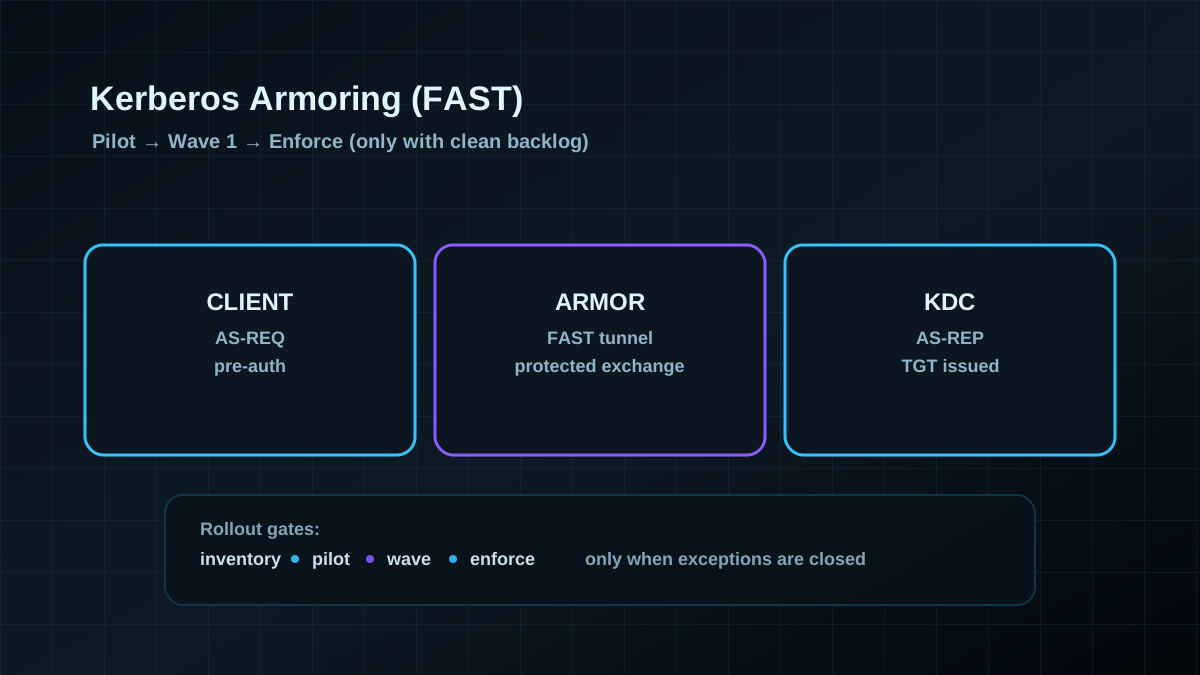
- Rollout is staged: pilot → wave 1 → wave 2, with clear gates.
- Dependencies are known (Kerberos stacks, third-party SSO, appliances, legacy apps).
- There is rollback per scope (OU/device groups) without stopping the whole program.
- You can prove: who uses FAST, who doesn’t, and why.
The goal is maximum security impact with minimal outage risk.
What FAST actually protects (and what it doesn’t)
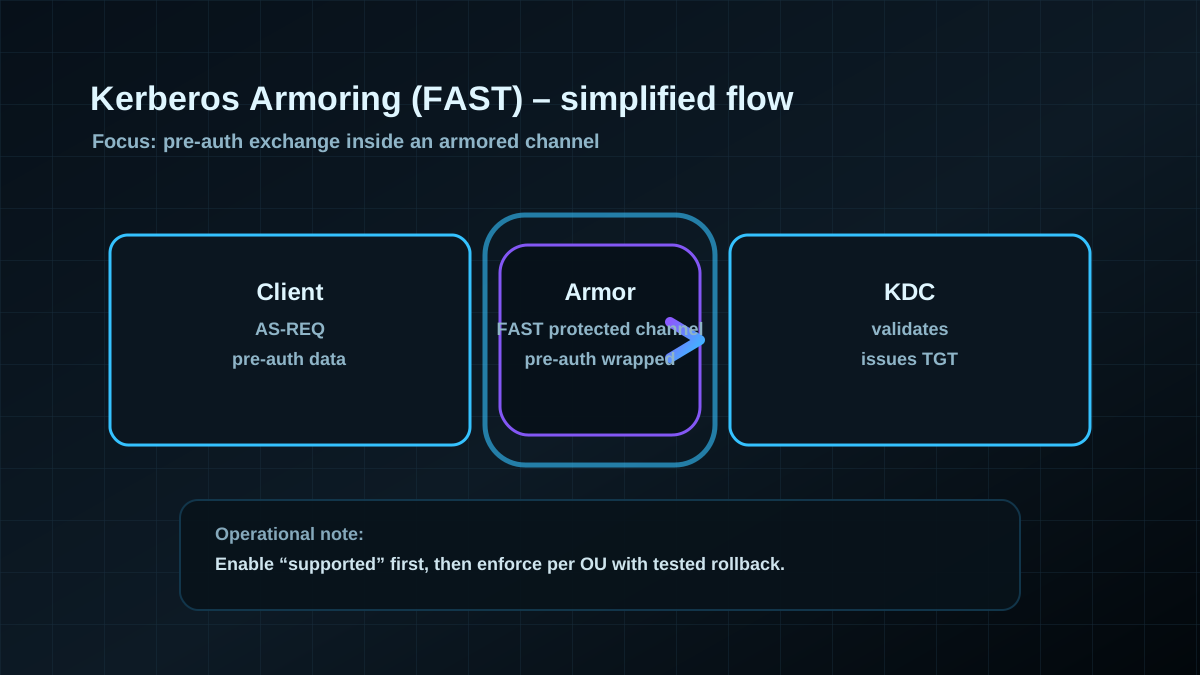
FAST “wraps” Kerberos pre-authentication in an additional protected channel (armor), typically derived from an armor key rooted in Kerberos tickets (for example a TGT) or a pre-auth flow that reduces offline exposure.
Pragmatic value in projects:
- reduces exposure to certain offline attacks against pre-auth data,
- makes “softer” Kerberos flows harder once clients/KDCs are aligned,
- improves the foundation for further Kerberos hardening (for example clean AES-only roadmaps).
Important:
- FAST is not a replacement for tiering, credential hygiene, or other transport security controls.
- If privileged admins keep logging onto random endpoints, overall risk stays high — FAST is only one layer.
Prerequisites: before you think about “enforce”
FAST is a poor candidate for “turn it on everywhere”. Validate up front:
1) Platform baseline
- Domain controllers: consistent versions/patch levels (no “special snowflake DCs”).
- Clients/servers: sufficiently modern in the OUs you harden first (start with Tier-0/Tier-1).
- Kerberos encryption: AES is the norm and RC4 exceptions are identified (FAST benefits from a clean crypto story).
2) Dependencies and “difficult” Kerberos clients
Common candidates that cause surprises:
- appliances/VPN gateways with embedded Kerberos stacks,
- older Java/.NET stacks inside legacy apps,
- third-party SSO/IdM/PAM components using Kerberos in non-standard ways,
- environments with lots of SPNs and historical exceptions.
This is usually where FAST becomes either a clean hardening wave — or a weekend fire drill.
3) Telemetry: you need signals, not gut feeling
Before rollout, decide how you will see breakage:
- security/directory-service logs on DCs (Kerberos/KDC failure patterns),
- monitoring for login/service outages (VPN, file services, RDS, web SSO),
- tickets for application owners: which systems authenticate how?
Implementation: rollout in three stages
Stage 1: “Supported” in a pilot scope
A pilot means: a small OU with few but relevant systems (for example admin workstations or a limited set of Tier-1 servers), plus defined test cases:
- interactive admin sign-in,
- access to file shares,
- access to core applications,
- scheduled tasks/services using service accounts,
- Kerberos-authenticated WinRM/remote management flows.
Configure FAST as supported first (not enforced) and collect signals.
Stage 2: Wave 1 for Tier-0 / Tier-1
If the pilot is clean, expand to:
- Tier-0 (DCs, admin endpoints, jump hosts),
- then Tier-1 (servers that actually see privileged logons).
Focus on high value, manageable client diversity, and clear ownership.
Stage 3: Enforce — only when the backlog is small
Enforcement only makes sense when:
- remaining exceptions are documented,
- there is an accepted plan for legacy systems,
- rollback per OU/scope has been tested.
If you enforce too early, you risk authentication outages — and the project loses trust.
Pros and cons (explicit, without wishful thinking)
Pros
- Raises the bar for Kerberos pre-authentication against certain offline/downgrade paths.
- Improves the foundation for further Kerberos hardening (AES-only, consistent policy).
- Fits well into Tier-0 programs because scope control is clean.
Cons / limits
- Compatibility is the bottleneck: legacy Kerberos clients are the risk, not the DCs.
- FAST is not user-visible — value must be explained via measurable security goals.
- Enforcing without ownership/backlog control can cause outages (often followed by a full rollback to “disabled”).
Typical pitfalls (common in real projects)
- No inventory: “we only have Windows” is almost never true.
- Pilot scope too wide: you lose clarity on what broke and why.
- No per-OU rollback: rollback must be granular, or you’ll revert everything.
- Kerberos crypto drift: RC4 exceptions and old SPNs suddenly surface and block progress.
- Tier-0 not prioritized: starting with broad client scope reduces impact.
Project checklist (for a clean Kerberos Armoring change)
- [ ] Validate DC/client baseline (versions, patch levels, functional levels, crypto posture).
- [ ] Inventory dependencies (appliances, SSO/IdM/PAM, legacy apps, SPN landscape).
- [ ] Define telemetry (logs, monitoring, responsibilities, escalation path).
- [ ] Define a pilot OU and freeze test cases.
- [ ] Enable FAST as “supported” in pilot; observe for 1–2 weeks.
- [ ] Plan waves for Tier-0/Tier-1; test change window and per-OU rollback.
- [ ] Enforce only after backlog is closed; document the legacy plan.