
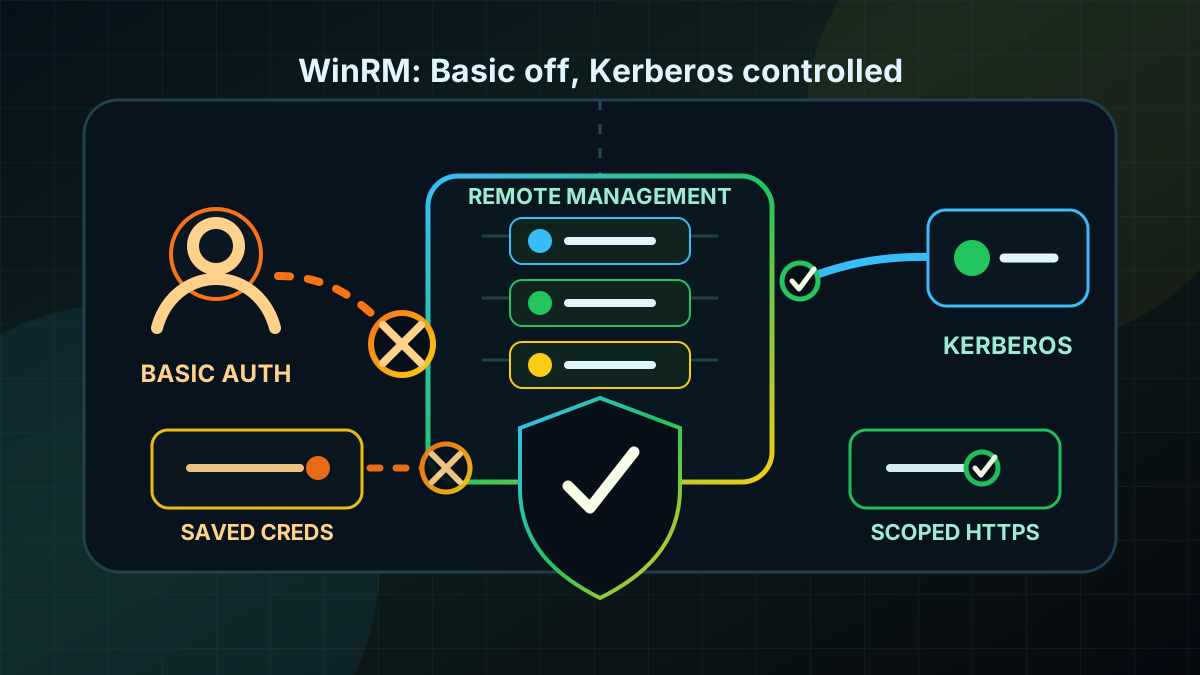
Starting point: WinRM is often open enough until it becomes visible
WinRM and PowerShell Remoting are not exotic paths in Windows operations. They are used for server administration, inventory, health checks, build processes, patch automation, Exchange, Hyper-V, failover clusters and AD-adjacent administration. In a clean domain, that is not a problem. It becomes a problem when old management tools, workgroup scenarios or quick troubleshooting changes weaken the baseline.
Common patterns include Basic Authentication on the WinRM client or service, AllowUnencrypted = true, broad TrustedHosts, locally stored admin credentials, persistent credential files in profiles or scripts that switch to the next fallback whenever authentication gets inconvenient. Operations may not notice immediately because remoting still works. The risk grows quietly: an administrative channel again accepts password-based authentication paths that should not be needed in an AD environment.
Basic Auth does not automatically mean cleartext on the wire if HTTPS is correctly enforced. That is exactly the trap. Security then fully depends on TLS, certificate validation, listener configuration, client behavior and the assumption that nobody later allows HTTP or unencrypted WinRM paths again. For domain-joined Windows systems, that is unnecessarily fragile.
The goal is therefore not to disable WinRM. The goal is a controlled remote administration path: Kerberos or clearly justified certificate authentication, no Basic fallbacks, no unencrypted transport, no broadly stored privileged credentials and clear visibility into exceptions.
Target state: Kerberos first, Basic off
A solid target state has specific properties:
- WinRM Basic Auth is disabled on client and service. Systems neither offer Basic nor use it as a client fallback.
- Unencrypted WinRM connections are forbidden.
AllowUnencryptedstaysfalsefor client and service. - Domain systems use Kerberos. Within the domain, Kerberos is the standard path for PowerShell Remoting and WinRM-based management.
- HTTPS is an exception or additional protection, not an excuse for Basic. If HTTPS is needed for non-domain or cross-forest scenarios, certificates and names are maintained properly.
TrustedHostsis empty or tightly scoped. Wildcards such as*are not an operating standard.- Privileged credentials are not stored permanently. No admin passwords in scripts, profiles,
cmdkey, task definitions or exported credential files. - Exceptions have owners and expiration dates. Legacy management does not get a permanent free pass.
The practical target: WinRM remains usable as an administration tool, but a system cannot silently fall back to Basic Auth or unencrypted remoting paths.
Implementation: make it visible, then enforce by GPO
1) Read the WinRM state, do not guess
Start with a read-only inventory on admin workstations, management servers, Domain Controllers and representative member servers. Both sides matter: the WinRM service on managed systems and the WinRM client on administration and automation systems.
A local quick check:
$paths = @(
  'WSMan:\localhost\Service\Auth\Basic',
  'WSMan:\localhost\Service\AllowUnencrypted',
  'WSMan:\localhost\Client\Auth\Basic',
  'WSMan:\localhost\Client\AllowUnencrypted',
  'WSMan:\localhost\Client\TrustedHosts'
)

foreach ($path in $paths) {
  Get-Item -LiteralPath $path | Select-Object PSPath, Value
}
For a project, centralize this through PowerShell Remoting, configuration management, EDR inventory or GPO Resultant Set. The goal is a list of systems where Basic Auth or unencrypted WinRM paths are allowed, plus the GPO or local change that caused it.
Also check which listeners exist:
Get-ChildItem WSMan:\localhost\Listener |
  Select-Object PSChildName, Keys, Transport
HTTP listeners are not automatically wrong in domain networks when Kerberos is used and access is tightly scoped. They must not be combined with Basic Auth and AllowUnencrypted. HTTPS listeners are only better when certificates, names and client validation are actually correct.
2) Set client and service policy through GPO
Create a dedicated computer GPO or a clearly separated section in the Windows hardening baseline. The relevant settings are under:
Computer Configuration
  Administrative Templates
    Windows Components
      Windows Remote Management (WinRM)
For the WinRM Client:
- Allow Basic authentication: Disabled.
- Allow unencrypted traffic: Disabled.
- Trusted Hosts: Not configured or a narrow, documented list.
For the WinRM Service:
- Allow Basic authentication: Disabled.
- Allow unencrypted traffic: Disabled.
- Allow remote server management through WinRM: only with deliberate scope for IPv4/IPv6 filters if the baseline enables WinRM centrally.
Important: many projects set only the service side. Servers then no longer accept Basic, but admin workstations or management servers may still use it against other targets. For AD hardening, that is incomplete. Client and service side belong together.
3) Do not leave WinRM reachable from every network
Authentication is only one layer. If WinRM is reachable from every client network to Domain Controllers, management servers or all servers, the admin channel remains too broad.
Review and limit:
- Windows Defender Firewall rules for WinRM on target systems.
- Network firewalls or ACLs between client, server, PAW, jump host and management networks.
- Access to Domain Controllers separately from normal member servers.
- VPN and remote-access paths to administration protocols.
A useful target is not "WinRM from everywhere because Kerberos is strong". Better: WinRM only from defined admin networks, PAWs, jump hosts or management systems, with separate rules for Tier-0 systems.
4) Do not hide Kerberos problems with Basic
Basic Auth is often enabled because Kerberos does not work cleanly. That is a symptom, not a reason for a permanent fallback.
Common causes:
- Access by IP address instead of FQDN.
- missing or wrong SPNs.
- DNS or name resolution issues.
- cross-forest scenarios without clean trust or authentication planning.
- workgroup servers without a certificate and HTTPS concept.
- tools that recommend
TrustedHostsand Basic for convenience.
The better fix is to repair the authentication path: use FQDNs, fix DNS, review SPNs, plan trusts properly or use HTTPS with certificates and tightly scoped targets for true non-domain scenarios. Basic Auth should not be the standard workaround for broken naming or Kerberos hygiene.
5) Clean up stored WinRM credentials
When Basic Auth disappears, scripts with persistent credentials often surface. That is useful. Those locations were risky anyway.
Review especially:
cmdkeyentries on admin and management systems.- scheduled tasks with statically stored privileged accounts.
- PowerShell scripts using
ConvertTo-SecureStringwith hardcoded strings. - exported
PSCredentialfiles in user profiles or shares. - CI/CD, RMM, monitoring or backup jobs reusing Domain Admin credentials.
- runbooks that enable CredSSP to solve delegation quickly.
Clean alternatives depend on the use case: gMSA for services, dedicated low-privilege service accounts, SecretManagement or vault integration for automation, Just Enough Administration for scoped admin tasks, Kerberos Constrained Delegation only with clean scope and break-glass accounts for real emergencies. The point is simple: do not use permanently stored Tier-0 or Domain Admin passwords as an operational shortcut.
6) Pilot instead of breaking everything globally
A sensible rollout:
- Inventory admin workstations, management servers, Domain Controllers and standard servers.
- Mark systems with Basic Auth,
AllowUnencryptedor broadTrustedHosts. - Identify dependent tools and jobs.
- Apply the GPO to a pilot OU for client and service.
- Test standard remoting with Kerberos.
- Test non-domain or cross-forest scenarios separately with HTTPS and certificates.
- Clean stored credentials and legacy exceptions.
- Enable monitoring for WinRM configuration drift and failed remoting logons.
The pilot should not contain only one test server. At least one admin system, one management server, one normal member server and one Tier-0 target should be represented. Otherwise only half the reality is tested.
Advantages
- Fewer password fallbacks: WinRM cannot silently switch to Basic Auth.
- Better AD hygiene: Kerberos, names, SPNs and trusts must work cleanly instead of being bypassed.
- Less credential storage: old scripts and jobs with stored admin passwords become visible.
- Clearer Tier-0 protection: Domain Controllers and management systems get more controlled admin paths.
- Easy to audit: GPO, WSMan values, listeners, firewall rules and exceptions can be checked directly.
- Low technical complexity: the key controls are built into Windows.
Disadvantages and limits
- Legacy tools may fail: old RMM, backup, monitoring or appliance integrations sometimes use Basic or broad TrustedHosts.
- Cross-forest and workgroup need planning: without Kerberos trust, HTTPS, certificates and target names must be operated cleanly.
- WinRM remains an admin channel: disabling Basic does not replace role, group, firewall or PAW hygiene.
- Kerberos issues become visible: DNS, SPN and naming problems must be fixed instead of hidden by fallback.
- Stored credentials do not disappear automatically: scripts, scheduled tasks and runbooks need separate cleanup.
- HTTPS is not a free pass: wrong certificate validation, weak processes or broad exceptions can weaken the target state again.
Common project pitfalls
- Hardening only the WinRM service: the client may still use Basic against other targets.
- Forgetting
AllowUnencrypted: Basic off while unencrypted paths remain allowed is not a clean baseline. - **Leaving
TrustedHosts = *:** target validation becomes too broad for many remoting scenarios. - Replacing Basic with CredSSP: CredSSP delegates credentials and is not a generic hardening substitute.
- Testing with IP addresses: that bypasses or breaks Kerberos even though the intended FQDN path may work.
- Skipping admin workstations: client fallbacks and stored credentials often live there.
- Not time-boxing exceptions: one legacy tool otherwise remains the reason for a weak baseline for years.
- Treating Domain Controllers like normal servers: Tier-0 targets need narrower reachability and stricter review.
Project checklist
- [ ] Inventory WinRM client and service values for Basic Auth,
AllowUnencryptedandTrustedHosts. - [ ] Review WinRM listeners, firewall rules and reachable networks for admin, management and Tier-0 systems.
- [ ] Define GPO settings for WinRM Client and WinRM Service with Basic Auth disabled and unencrypted traffic disabled.
- [ ] Explicitly include admin workstations and management servers in scope.
- [ ] Review Domain Controllers and other Tier-0 systems separately.
- [ ] Test Kerberos paths with FQDN, DNS and SPNs before accepting Basic exceptions.
- [ ] Plan cross-forest, workgroup and appliance scenarios separately with HTTPS, certificates and narrow target groups.
- [ ] Remove broad
TrustedHostsentries or reduce them to documented individual targets. - [ ] Clean stored privileged credentials in scripts,
cmdkey, scheduled tasks, runbooks and shares. - [ ] Document legacy exceptions with owner, reason, systems, expiration date and review cycle.
- [ ] Run positive tests for Kerberos remoting and negative tests for Basic Auth.
- [ ] Monitor for WinRM configuration drift, unusual remoting failures and new exceptions.