
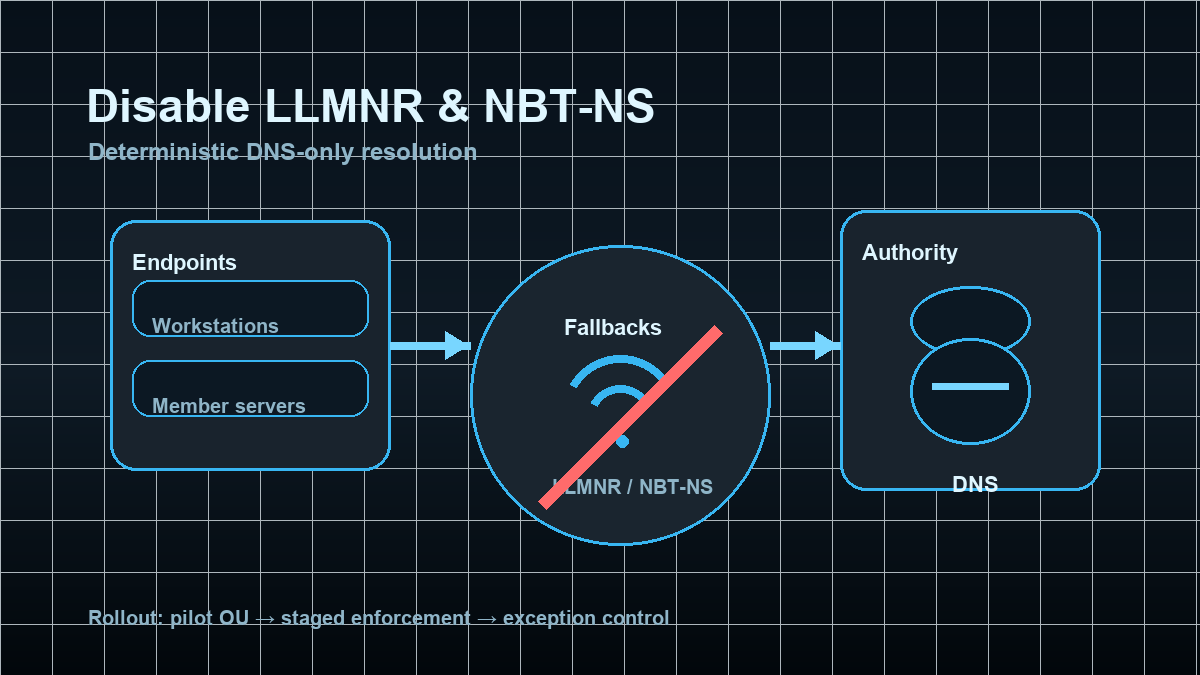
Why this still shows up in real environments
Many AD environments feel “DNS-first” — but they’re not “DNS-only”. As soon as a client can’t resolve a name cleanly (missing suffix, typo, transient DNS issue), Windows frequently falls back to LLMNR (Link-Local Multicast Name Resolution) or NBT-NS (NetBIOS Name Service).
That creates two practical problems:
- Security risk: multicast/broadcast name resolution allows any host in the same segment to race in with a response. That’s not authority — it’s “who answers first”.
- Operational noise: you end up with authentication attempts to odd hostnames, troubleshooting gets messy, and technical debt stays hidden.
Done as a project building block, this is straightforward: stabilize DNS usage, disable the fallbacks, and handle exceptions explicitly.
Target state: DNS is the only internal name authority
A pragmatic target state:
- LLMNR is disabled via GPO (domain-wide, clients + servers).
- NetBIOS over TCP/IP is disabled (and WINS is removed from the client footprint).
- Clients use an explicit DNS suffix search list, not “guessing shortnames”.
- Exceptions are deliberate (legacy/OT, transition phases) with technical and organizational control.
The goal is not “block broadcast at all costs” — it’s deterministic name resolution: DNS records, suffix lists, and consistent FQDN usage.
Implementation: disable LLMNR via GPO (fast, stable, easy rollback)
LLMNR is usually safe to disable domain-wide:
- GPO:
Computer Configuration→Policies→Administrative Templates→Network→DNS Client→ Turn off multicast name resolution →Enabled
This removes LLMNR as a fallback and forces DNS issues to be fixed instead of broadcasted away.
Verification (LLMNR)
On a target system:
gpresult /scope computer /rAnd the policy registry value:
Get-ItemProperty -Path 'HKLM:\SOFTWARE\Policies\Microsoft\Windows NT\DNSClient' -Name EnableMulticast -ErrorAction SilentlyContinueExpected: EnableMulticast is present and 0.
Implementation: retire NBT-NS / NetBIOS properly (understand first, then switch)
NBT-NS tends to be stickier than LLMNR because some environments still have implicit legacy dependencies (old devices, appliances, printer/scan workflows, legacy apps).
1) Baseline: where is NetBIOS/WINS still in use?
Quick checks:
- Do you still run WINS servers or distribute WINS via DHCP options?
- Do users and scripts rely on UNC paths without a DNS suffix (
\\APP1\shareinstead of\\app1.corp.example\share)? - Do you see meaningful traffic on UDP/137 or UDP/138?
If you use admin tiering already, start with workstations and member servers. Domain Controllers are rarely the reason NetBIOS is “needed”.
2) Technical step: disable NetBIOS over TCP/IP (GPO startup script)
A reliable approach is a GPO computer startup script that enforces NetBT interface parameters. This is:
- idempotent (safe to run repeatedly)
- interface-agnostic (handles multi-NIC systems)
- rollback-friendly (you can revert NetbiosOptions later)
Example (startup script, PowerShell):
$base = 'HKLM:\SYSTEM\CurrentControlSet\Services\NetBT\Parameters\Interfaces'
Get-ChildItem -Path $base -ErrorAction SilentlyContinue | ForEach-Object {
  $path = $_.PSPath
  $current = (Get-ItemProperty -Path $path -Name NetbiosOptions -ErrorAction SilentlyContinue).NetbiosOptions
  if ($current -ne 2) {
    New-ItemProperty -Path $path -Name NetbiosOptions -PropertyType DWord -Value 2 -Force | Out-Null
  }
}
Roll out via a pilot OU first, then expand in stages. NetBIOS changes are usually not dramatic, but you want failures to appear in a small scope.
3) Make DNS suffix search explicit (so shortnames don’t break)
If your environment relies on shortnames, the real issue is often “suffix configuration”, not “NetBIOS”.
Typical fix: define the DNS Suffix Search List via GPO so APP1 reliably resolves as APP1.<corp-domain>.
Pros (explicit)
- Reduced local-segment attack surface: name resolution depends on DNS authority, not broadcast races.
- Less confusing authentication noise: fewer “mystery” connections to non-authoritative names.
- Better visibility into real DNS issues: you fix the root cause instead of masking it with fallbacks.
- Cleaner networks: less broadcast/multicast chatter.
Cons and limits (explicit)
- Legacy dependencies: a few appliances/apps may still assume NetBIOS (often indirectly via shortnames).
- Short-term cleanup work: you’ll discover names that “always worked” but were never properly defined.
- Not a replacement for segmentation: this reduces surface area, but doesn’t replace network segmentation or admin tiering.
Common project pitfalls
- No DNS suffix policy: disabling fallbacks exposes that shortnames weren’t reliably resolvable via DNS.
- Hidden WINS/DHCP leftovers: DHCP still distributes WINS servers or node-type settings.
- Separate target state for OT/legacy segments: not every network uses AD-integrated DNS the same way.
- Multi-homed clients: VPN/Wi-Fi/virtual NICs mean your startup script must hit all interfaces.
Project checklist (short, usable)
- Define pilot scope (OU + rollback plan).
- Disable LLMNR via GPO (fast domain-wide win).
- Define and test DNS suffix search list.
- Disable NetBIOS/NBT-NS via startup script (staged rollout).
- Operations: compliance check (registry/GPO) + monitoring for name resolution failures.
- Document exceptions (owner, expiry date, technical boundary).