
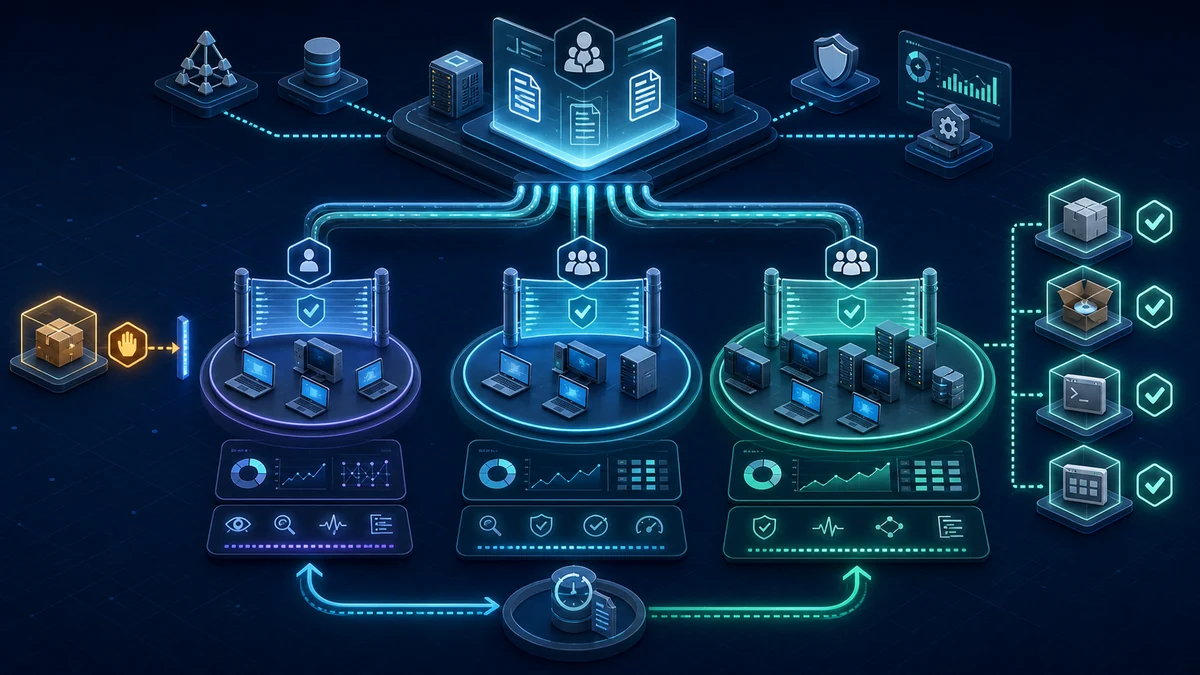
Starting point: standard users can run more code than they need
On many Windows endpoints, the user effectively decides which executable file starts. Software distribution, endpoint protection and restricted local privileges provide guardrails, but they do not stop every portable application, script or installer launched from a writable location. A download, an extracted tool under %LOCALAPPDATA% or a file on a network share can become part of the executable surface even though it was never approved.
AppLocker reverses that model for defined file types. Once a rule collection contains rules and is enforced, AppLocker evaluates files against its allow and deny rules. Unapproved executables, installers, DLLs and packaged apps are denied. For scripts, however, the individual script host implements the AppLocker decision, so the precise effect can differ. Rules can be based on publisher, path or file hash and distributed to domain computers through Group Policy. The decision can also be scoped to users or groups.
This is less simple in production than it sounds. An overly broad path rule still permits arbitrary code. An overly narrow hash rule breaks with the next update. Unreviewed enforcement can stop software distribution, sign-in scripts or support tools. AppLocker is therefore not one GPO switch; it is an application-control project with inventory, rule maintenance, telemetry and a tested recovery path.
The protection boundary also needs to be explicit. AppLocker reduces execution of unapproved applications for managed users and systems. It does not replace EDR, patching, macro security, browser controls or secure administrative paths. Local administrators and allowed but abusable applications remain separate risks. If the requirement is a stronger system-wide code-integrity boundary, App Control for Business belongs in the target architecture.
Target state: the user execution surface follows declared trust sources
A defensible target state has clear properties:
- Device classes have separate policies. Standard clients, developer workstations, administrative systems, member servers and Domain Controllers do not share one blind allowlist.
- Every rule collection has an explicit mode.
Audit onlyandEnforce rulesare set deliberately;Not configuredis not left as a supposedly neutral state. - Publisher rules are the default for signed software. Trust is bound to a specific publisher, product and, where necessary, file or version boundary.
- Path rules cover only administrator-controlled directories. Standard users cannot create or replace files anywhere beneath an allowed path.
- Hash rules remain bounded exceptions. They cover stable unsigned files and have an owner for every update.
- Application Identity is part of the baseline. The
AppIDSvcservice starts reliably on target systems so rules are evaluated as well as distributed. - Services are deliberately included or excluded. AppLocker covers only code running in a user context by default. The optional services-enforcement extension is enabled only with a complete Windows system-code allowance and separate testing.
- Audit events are collected and reviewed centrally. An event does not become a new allow rule automatically; application, owner, source and business need are verified.
- Enforcement is phased by ring and rule collection. Executables, installers, scripts, packaged apps and DLLs are not enabled together without measurement.
- Rollback and emergency administration are tested. A faulty ruleset can be returned to audit through a controlled GPO path without distributing unmanaged local exceptions.
The objective is not the longest possible rule list. It is a small set of explainable trust decisions that survives ordinary updates and makes deviations visible.
Implementation: turn runtime evidence into a maintainable policy
1) Define scope and ownership before writing rules
Do not begin with a generated default policy for the entire domain. First identify systems that share the same software estate and operating model. Standardized office clients with centralized software distribution are a practical initial scope. Developer devices, operational technology, kiosks, Citrix or RDS hosts and servers require separate assessment.
Each device class needs at least:
- a technical policy owner,
- a business approval path for new applications,
- a pilot group with real user profiles,
- a channel for AppLocker events and support cases,
- a maintenance window for policy updates,
- a documented rollback path.
Domain Controllers do not belong in the first client wave. Their executable surface is small, but the impact of a mistake is high. If AppLocker is used on them, deploy a separate server policy with complete coverage of administration and backup tools plus tested console or out-of-band access.
By default, AppLocker evaluates only code running in a user context, not services and other nonuser processes such as SYSTEM. The optional services-enforcement extension applies only to the executable and DLL collections and is configured directly in the policy XML. It must be planned together with the system-apps extension so all Windows system code remains allowed. On servers, this is a separate design and testing step, not an incidental addition to the client GPO.
2) Build a dedicated GPO in audit mode
Create a clearly named GPO and initially link it only to the pilot OU or a narrowly filtered pilot group. AppLocker is located under:
Computer Configuration
  Policies
    Windows Settings
      Security Settings
        Application Control Policies
          AppLocker
Explicitly set each required rule collection to Audit only in the AppLocker properties. The Not configured state is misleading: when a collection contains rules, they can still be enforced depending on effective GPO precedence. The intended mode must therefore be visibly configured.
In the same GPO, or a clearly coupled one, configure the Application Identity system service for automatic startup. AppLocker uses AppIDSvc to determine file identity. A distributed policy without a running service is not an effective control state.
After the first policy refresh on a pilot system, verify the result rather than only the GPMC view:
Get-Service -Name AppIDSvc
Get-AppLockerPolicy -Effective -Xml
The effective-policy export should also be attached to the change record. Rules from multiple linked GPOs are merged, while GPO precedence selects the enforcement mode. One GPO view therefore does not prove what the client is actually applying.
3) Treat default rules as bootstrap rules
AppLocker can generate default rules for each collection, but the sets differ. The executable, script and DLL defaults commonly allow Everyone content beneath %WINDIR% and %PROGRAMFILES%, plus all matching files for local administrators. The Windows Installer defaults additionally allow Everyone all digitally signed installers and %WINDIR%\Installer; the packaged-app default allows Everyone all signed packages and package installers.
Those rules are a starting point, not a completed security baseline. Before allowing a path, verify that standard users and user-controlled processes cannot create, rename or replace files below it. An allow rule for a writable folder is effectively permission to run any code placed there. Review ACLs, installer behavior, updater directories and junctions rather than relying on the visible path name.
The broad administrator rule must also match the intended boundary. AppLocker is not designed to constrain an actor who already controls the local system administratively. If administrative accounts are in scope for the threat model, add stronger controls and consider App Control for Business; cosmetically narrowing one AppLocker rule does not remove that boundary.
4) Choose rule conditions for maintainability
Publisher, path and file-hash conditions are available for the executable, Windows Installer, script and DLL collections; packaged-app rules support publisher conditions only. Use each condition deliberately:
- Publisher: appropriate for digitally signed standard software. Where possible, constrain the rule to publisher, product and file name. A rule for all signed files or every product from one publisher is usually broader than the business requirement. Set version boundaries so security updates continue to work without allowing vulnerable legacy versions indefinitely.
- Path: appropriate for administrator-controlled installation directories and tightly protected internal shares. Avoid user profiles, temporary directories, download folders, writable network paths and broad roots such as
C:\*. - File hash: appropriate for one stable unsigned file. Every update changes the hash. Without an owner, packaging process and expiry date, these rules quickly become a collection of stale exceptions.
Explicit deny rules take precedence over allow rules. They are useful when one narrow file must be excluded from an otherwise required publisher or path rule. They are poor as the primary blocklist: file name, location or hash changes while the rest of the executable surface stays open. An allowlist is built from defined allow rules and implicit denial, not thousands of deny entries.
5) Pilot rule collections independently
AppLocker maintains five collections:
- executables for PE files, typically
.exeand.com, although the extension is not decisive for evaluation, - Windows Installer files for
.msi,.mspand.mst, - scripts for
.ps1,.bat,.cmd,.vbsand.js, - packaged apps and packaged app installers,
- DLLs for
.dlland.ocx.
Start with executables and Windows Installer in most environments. Before enforcing the executable collection, explicitly define the packaged-app collection: if executable rules are enforced and no packaged-app rules exist, AppLocker blocks all packaged apps and packaged app installers. If restriction is deferred, first create the default allow rule for all signed packaged apps and installers, then narrow it after the pilot.
The script collection needs separate testing for sign-in scripts, software deployment, management agents and administrative automation. Enforcement is implemented by the individual script host. A Windows PowerShell script that AppLocker does not allow is logged as blocked, but still runs in Constrained Language Mode. AppLocker also does not cover every form of interpreted code; Office macros and script hosts without AppLocker integration need their own policies.
Consider DLL rules last and separately. Every loaded library must match an allow rule. This increases complexity, event volume and potentially overhead on resource-constrained systems. An incomplete DLL allowlist can break an application at a point that was invisible during an executable-only pilot.
6) Review audit data with business context
Relevant channels are under Microsoft-Windows-AppLocker, particularly EXE and DLL, MSI and Script and the packaged-app channels. A read-only local sample for the previous seven days is:
$start = (Get-Date).AddDays(-7)

Get-WinEvent -FilterHashtable @{
  LogName   = 'Microsoft-Windows-AppLocker/EXE and DLL'
  StartTime = $start
} | Select-Object TimeCreated, Id, LevelDisplayName, Message
For a project, forward this evidence centrally through Windows Event Forwarding, EDR or the SIEM. Aggregate at least file path, publisher, hash, user, device, rule collection, frequency and current decision. Prioritize events from user profiles, temporary paths, removable media and unmanaged shares.
Audit telemetry shows what ran, not what is trustworthy. Automatically creating a rule from every event would legitimize unwanted portable tools, old installers and one-time support files. Before adding an allow rule, validate the software catalog, package source, signature, owner, licensing state and required scope.
Test critical files against the effective policy and a representative user as an additional check:
$policy = Get-AppLockerPolicy -Effective

Test-AppLockerPolicy -PolicyObject $policy `
  -Path 'C:\Program Files\Vendor\Application\app.exe' `
  -User 'CORP\PilotUser'
This does not replace a real launch with dependencies, but it provides a reproducible pre-check for change and rollback.
7) Release enforcement in rings
A practical rollout uses several rings:
- reference systems and the IT lab,
- security and workplace teams,
- representative business users for each device class,
- individual departments or locations,
- the broad client estate,
- separate server groups with their own policy.
Each ring should include at least one normal patch and software-update cycle. Measure blocked and audited files, support tickets, launch failures, policy processing and devices without current Group Policy. Only switch the relevant collection from Audit only to Enforce rules once known business applications, update paths and recovery tools are covered.
Do not enforce all collections in the same change. A blocked installer has a different recovery path from a blocked sign-in script or missing DLL. Separate changes reduce the fault domain and make the cause visible to operations.
8) Operate updates, exceptions and rollback continuously
Application control does not end at go-live. New software, changed signatures, publisher transitions, internal builds and self-updaters alter the policy. Every exception therefore needs an application, rule type, scope, owner, reason, approval and review date. Temporary hash rules should feed an automatic review queue.
Back up the GPO and export the AppLocker policy as XML before changes. Do not edit an enforced production collection ad hoc. Test updates on a copy or within an audit scope, then promote them through a versioned change.
For immediate containment, a prepared higher-precedence recovery GPO can set the entire effective collection merged from all applicable GPOs to Audit only. It does not remove faulty rules. Before withdrawing the recovery GPO, correct the affected rules or links, complete policy refresh successfully, and verify Get-AppLockerPolicy -Effective. Offline devices retain their previous state until they update successfully. Stopping AppIDSvc or applying individual local changes is not a clean recovery process.
Advantages
- Smaller executable surface: unapproved portable programs and installers are denied by default in enforced collections; supported scripts are subject to host-specific restrictions.
- Uses existing AD distribution: Group Policy, OUs, security filtering and established change processes can support the rollout.
- Produces concrete telemetry: audit events expose real software paths, shadow IT and missing packaging processes.
- Supports staged deployment: each rule collection and device group can be observed and enforced separately.
- Enables maintainable trust rules: publisher rules survive normal updates better than hash-only lists.
- Complements endpoint security: application control limits what can start, while EDR continues to evaluate behavior and follow-on activity.
Disadvantages and limits
- Heterogeneous software creates maintenance: large estates of internal, portable or unsigned applications require rules and testing.
- Allowed applications are not automatically safe: an approved but abusable tool remains executable; AppLocker does not control its complete behavior.
- Local administrators remain a hard boundary: an actor with administrative control can influence local state and allowed execution paths.
- Script and macro coverage is incomplete: the script collection does not cover every interpreter or Office macros.
- DLL rules increase complexity: completeness, performance and update compatibility require separate validation.
- GPO latency affects recovery: offline devices and slow sites do not receive corrections immediately.
- Stronger objectives require different technology: App Control for Business is the more appropriate target for a robust system-wide code-integrity policy.
Common project pitfalls
- Starting directly with
Enforce rules: without audit evidence, legitimate applications and recovery tools become visible only during an outage. - Treating
Not configuredas inactive: existing rules can still be enforced; every mode must be explicit. - Forgetting Application Identity: a GPO without reliable
AppIDSvcoperation creates only the appearance of control. - Accepting default rules unchanged: broad path and administrator rules may conflict with the actual objective.
- Allowing user-writable paths: an allow rule for
%LOCALAPPDATA%, temporary storage or a weakly permissioned share effectively permits arbitrary files. - Equating signed with trusted: a broad publisher rule can authorize more products and utilities than intended.
- Using only hash rules: security updates and version changes then produce continuous outages and exceptions.
- Automatically allowing audit events: observed execution is not approval evidence.
- Building a deny list instead of an allowlist: variants and new locations bypass it while unknown software remains generally executable.
- Treating every device class alike: developers, kiosks, RDS hosts and servers have different executable baselines.
- Enforcing all collections together: faults become difficult to isolate and rollback becomes unnecessarily broad.
- Reviewing only the edited GPO: merged rules and GPO precedence can produce a different effective result on the client.
- Skipping a software-update cycle: only a publisher update demonstrates whether publisher, path and hash decisions are maintainable.
- Treating AppLocker as an EDR replacement: allowed applications, macros, browser content and post-launch behavior still need separate controls.
Project checklist
- [ ] Define device classes, pilot groups and a separate server scope.
- [ ] Assign the policy owner, application owners and approval process.
- [ ] Create a dedicated AppLocker GPO and link it only to the pilot group.
- [ ] Configure
AppIDSvcfor automatic startup through Group Policy and verify its state. - [ ] Decide whether the scope covers only user context or also services enforcement for executable and DLL rules.
- [ ] Explicitly set every used rule collection to
Audit only. - [ ] Export the effective policy on pilot systems with
Get-AppLockerPolicy -Effective. - [ ] Generate default rules, then review paths, ACLs and administrator exceptions.
- [ ] Constrain publisher rules by publisher, product, file and an appropriate version boundary.
- [ ] Use path rules only for directories standard users cannot write to.
- [ ] Document hash rules with an owner, packaging process and review date.
- [ ] Assess executables, installers, scripts, packaged apps and DLLs separately.
- [ ] Establish an explicit packaged-app rule baseline before executable enforcement.
- [ ] Collect AppLocker event channels centrally and enrich them with device and user context.
- [ ] Validate audit findings against the software catalog, package source, signature and business need.
- [ ] Test critical applications and recovery tools with representative users.
- [ ] Observe rollout rings for at least one normal software-update cycle.
- [ ] Enforce rule collections individually through approved changes.
- [ ] Create a GPO backup and XML export before every production policy change.
- [ ] Test the recovery GPO, out-of-band access and behavior of offline devices.
- [ ] Remove temporary exceptions or convert them into maintainable rules on a recurring basis.
- [ ] Evaluate AppLocker together with EDR, macro security, ASR rules and patch management.