
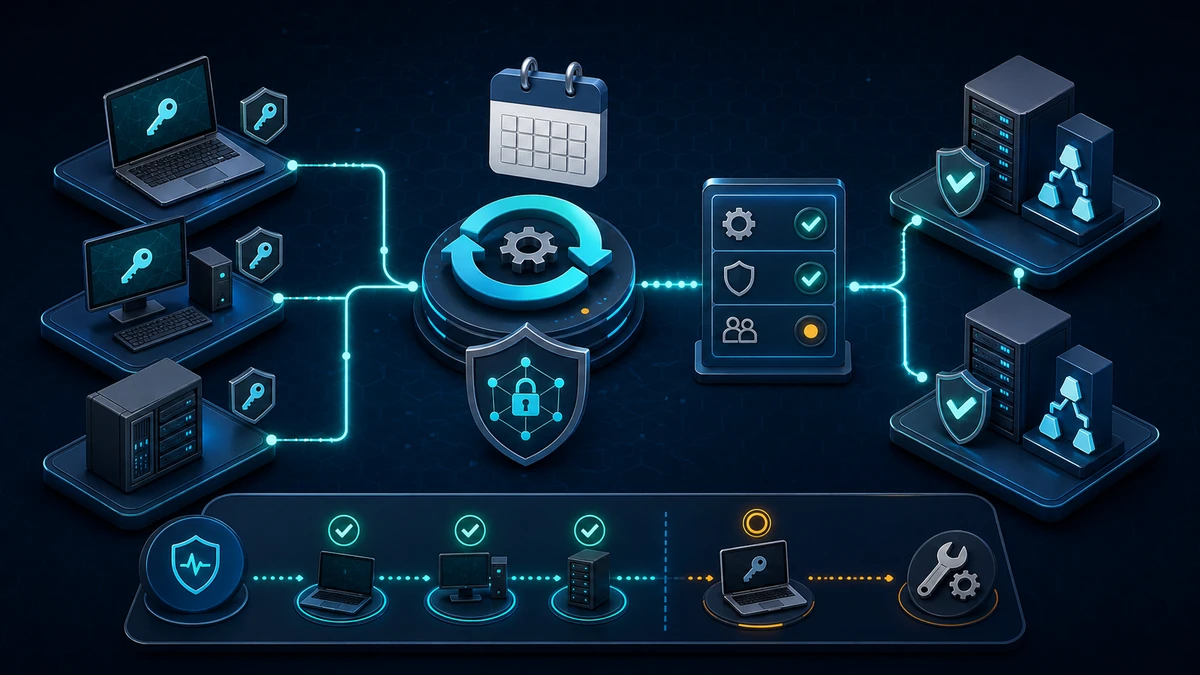
Starting point: machine passwords are easy to overlook
Every domain-joined Windows computer has an AD computer account and a corresponding secret stored locally. Netlogon uses it to maintain the secure channel. The member normally changes its machine password automatically, Active Directory records the change, and operations rarely intervene.
The Windows default and practical baseline for the maximum machine account password age is 30 days. This value does not make a computer password expire in the same way as a user password. It tells the member when to attempt a change. A laptop that remains offline for more than 30 days does not inherently lose its domain trust because of age alone. Once it is online, can locate a Domain Controller and has the required network path, Netlogon can perform the pending rotation.
Problems arise when this behavior has been disabled, extended without ownership or combined with an unsuitable machine lifecycle. Golden images may have been joined before capture, while snapshots and nonpersistent desktops may repeatedly restore older local state. Firewalls can also allow sign-in traffic while blocking secure-channel maintenance.
The result is hard to interpret. An old pwdLastSet may represent a retired device, a rarely connected laptop, an isolated recovery system or a broken member. It is useful evidence, but proves neither compromise nor broken trust. The control must combine policy, lifecycle data, events and targeted validation.
Target state: automatic rotation is enforced and observable
A defensible target state has clear properties:
- Domain members use a 30-day maximum machine account password age. Deviations have a documented technical reason, owner and review date.
- Machine account password changes remain enabled. The policy
Domain member: Disable machine account password changesis explicitly set toDisabled. - Domain Controllers accept legitimate changes.
Domain controller: Refuse machine account password changesis not enabled. - Computer accounts have an accountable lifecycle. Active devices, offline devices, nonpersistent workloads, recovery systems and retired records can be distinguished.
- Rotation and trust failures are visible. Netlogon and Security events are collected with enough context to separate a delayed change from a broken secure channel.
- Image and snapshot processes preserve identity consistency. A restored local LSA secret cannot silently drift away from the computer-account secret held by Active Directory.
- Repairs follow evidence. Operations validate DNS, time, reachability, replication and lifecycle state before resetting or rejoining a machine.
The objective is not aggressive password churn. It is a predictable secure-channel lifecycle in which exceptions are rare, explainable and monitored.
Implementation: align policy, lifecycle and monitoring
1) Establish the effective baseline
The relevant member setting is located under:
Computer Configuration
  Windows Settings
    Security Settings
      Local Policies
        Security Options
          Domain member: Maximum machine account password age
Set the value to 30 days for the normal domain-member baseline. In the same policy area, configure Domain member: Disable machine account password changes as Disabled. On Domain Controllers, ensure Domain controller: Refuse machine account password changes is not enabled. Refusing changes at the DC would undermine the control for every member that reaches it.
Use a clearly named computer GPO or a well-owned baseline section. Do not rely on defaults remaining untouched. Explicit settings give configuration management, gpresult and policy review a stable target.
A local registry check can help during inventory, but missing values may simply mean that Windows defaults apply:
$netlogon = 'HKLM:\SYSTEM\CurrentControlSet\Services\Netlogon\Parameters'

Get-ItemProperty -LiteralPath $netlogon |
  Select-Object MaximumPasswordAge, DisablePasswordChange, RefusePasswordChange
Confirm the resultant policy as well as the registry state. Local settings, security baselines and multiple GPOs can otherwise create a result different from the setting shown in a single management console.
2) Inventory exceptions with lifecycle context
Querying pwdLastSet is useful for finding systems that have not changed their machine password within an expected window. It must be scoped and enriched rather than treated as an automatic deletion list.
$cutoff = (Get-Date).AddDays(-60)

Get-ADComputer -Filter 'Enabled -eq $true' -SearchBase 'OU=Workstations,DC=corp,DC=example' `
  -Properties PasswordLastSet, LastLogonDate, OperatingSystem |
  Where-Object { -not $_.PasswordLastSet -or $_.PasswordLastSet -lt $cutoff } |
  Select-Object Name, PasswordLastSet, LastLogonDate, OperatingSystem
Use a threshold wider than one rotation interval to avoid transient noise. Correlate findings with CMDB ownership, endpoint check-in, last use, disablement state and device class. A quarterly kiosk, decommissioned server and active workstation require different actions even if their timestamps match.
Do not reset, disable or delete accounts from this report. It is a queue for lifecycle validation; repeated stale records often expose an asset-management problem as well as a Netlogon problem.
3) Treat images, snapshots and nonpersistent systems separately
Snapshots and nonpersistent virtual desktops are the highest-risk operational edge case. The local machine secret is held in the LSA-managed system state, while the matching computer-account secret is maintained in Active Directory. Restoring a snapshot can roll the member back to an older local secret without rolling Active Directory back with it. The secure channel can then fail even though both the VM and its computer object appear healthy in isolation.
Do not solve this by globally disabling machine password changes. Build nonpersistent desktops with a supported provisioning and identity process that creates, reuses or resets computer accounts deliberately. Seal base images before domain identity becomes persistent, and test clone creation, refresh, rollback and destruction as separate lifecycle events.
For servers, define whether snapshots are an application-recovery aid or an approved recovery method. Long-lived rollback points do not replace a tested rebuild. After any rollback, validate the secure channel before returning the server to service.
4) Monitor successful changes and trust failures together
On members, Netlogon event 5823 records a successful machine account password change. Event 3210 indicates that a member could not authenticate with a Domain Controller and can accompany a trust problem. On Domain Controllers, Security event 4742 records a computer account change, while Netlogon event 5722 can indicate a failed session setup from a computer account.
No single event is enough. Correlate member, Domain Controller, time, account status and recent lifecycle actions. Event 4742 covers changes beyond password rotation, while 5722 can occur during rebuilds, duplicate identities or delayed cleanup. Old pwdLastSet without failure events may simply mean the device is offline.
Collect the relevant Netlogon channels and DC Security events centrally. Alert on repeated trust failures, clusters affecting one site or DC, and active systems that miss multiple expected rotation windows. Retain successful change evidence long enough to establish the normal cadence without turning every rotation into an incident.
5) Validate failures without applying the wrong repair
On a domain member, Test-ComputerSecureChannel is a useful targeted validation command:
Test-ComputerSecureChannel -VerboseUse it for member computers only. It is not the correct health test for Domain Controllers. DC secure-channel, replication and trust diagnostics require DC-specific tools and evidence.
Before any repair, check name resolution, time synchronization, Domain Controller discovery, site placement, network filtering and AD replication. Also verify that the computer object is the intended object and has not been recreated by a deployment workflow. Repairing the channel before understanding a duplicate-name or rollback problem may provide only temporary relief.
Keep trust repair bounded to the affected member and record the action. Rejoining the domain is a recovery option, not the first diagnostic step. Broad account resets can disrupt services, scheduled tasks, clustering or certificate mappings tied to machine identity.
6) Pilot the policy and define rollback
Start with representative workstations, laptops and member servers in a pilot OU. Include devices that are regularly offline, systems behind segmented firewalls and one example of each supported provisioning platform. Observe at least one full 30-day rotation interval where the project schedule allows; otherwise trigger only supported test workflows on isolated pilot systems.
The rollout test should confirm effective GPO, successful event 5823, corresponding DC-side evidence, continued authentication after restart and recovery after an extended offline period. Test nonpersistent workloads through their actual refresh cycle rather than treating them as ordinary members.
Rollback means restoring the previously approved GPO scope or value while investigating compatibility. It does not mean enabling Disable machine account password changes across the domain. Preserve exported GPO settings, pilot membership and event timestamps so the team can compare before and after states. Expand in waves only after failures have owners and known remediation paths.
Advantages
- Reduces long-lived machine secrets: Regular rotation limits how long one computer-account password remains current.
- Preserves standard Windows behavior: The 30-day baseline uses the operating system's established Netlogon process rather than custom rotation tooling.
- Makes trust health measurable: Policy state,
pwdLastSetand correlated events provide evidence for operations and audit. - Exposes lifecycle gaps: Stale accounts reveal retired assets, isolated systems and broken provisioning processes that need ownership.
- Supports controlled segmentation: Monitoring identifies sites or firewall paths that prevent secure-channel maintenance.
- Improves recovery discipline: Snapshot, clone and rebuild procedures must account for both local and directory identity state.
Disadvantages and limits
- Stale timestamps are ambiguous: They do not distinguish an offline device from a failed rotation or abandoned asset without additional data.
- Nonpersistent workloads need special handling: Standard rotation can conflict with designs that repeatedly restore old local state.
- Event collection creates operational volume: Successful rotations are frequent and need aggregation rather than individual alerts.
- The setting does not repair trust: DNS, time, replication, duplicate names and network access remain separate dependencies.
- Shorter is not automatically stronger: Very low values increase churn and diagnostic noise without solving identity lifecycle problems.
- The control covers domain members, not every device identity: Entra-only, workgroup and appliance identities need their own lifecycle controls.
Common project pitfalls
- Treating 30 days as a hard expiry: An offline member does not lose trust merely because it crossed the age threshold.
- Enabling
Disable machine account password changes: This freezes secrets instead of fixing the image, snapshot or connectivity problem. - Enabling DC refusal: Domain Controllers then reject the legitimate changes the baseline expects.
- Deleting from a
pwdLastSetreport: Timestamp age alone is insufficient evidence that a computer account is unused. - Ignoring snapshot rollback: The local LSA secret can return to an older state while the AD secret remains current.
- Using member diagnostics on Domain Controllers:
Test-ComputerSecureChannelis not the right DC health check. - Monitoring only failures: Without successful
5823and correlated4742evidence, the normal rotation pattern remains unknown. - Resetting trust before checking identity: Duplicate computer names, recreated objects and provisioning races will cause the problem again.
- Rolling out through one broad GPO link: Offline laptops, segmented servers and VDI pools need representative pilot coverage first.
Project checklist
- [ ] Set
Domain member: Maximum machine account password ageto30 daysin the approved member baseline. - [ ] Set
Domain member: Disable machine account password changestoDisabled. - [ ] Confirm
Domain controller: Refuse machine account password changesis not enabled. - [ ] Verify effective policy on representative workstations, laptops and member servers.
- [ ] Inventory enabled computer accounts with old
pwdLastSetvalues using a scoped search. - [ ] Enrich stale records with owner, lifecycle, endpoint check-in and last-use context.
- [ ] Document supported processes for imaging, cloning, snapshot rollback and nonpersistent VDI.
- [ ] Collect member Netlogon events
5823and3210centrally. - [ ] Correlate DC events
4742and5722with member, replication and lifecycle evidence. - [ ] Test DNS, time, DC discovery, firewall paths and replication before repairing trust.
- [ ] Use
Test-ComputerSecureChannelonly on domain members. - [ ] Pilot across normal, offline, segmented and virtualized device classes.
- [ ] Preserve the previous GPO settings and scope as the documented rollback point.
- [ ] Expand in waves and assign owners to every exception.
- [ ] Review stale accounts and policy deviations on a recurring schedule.