
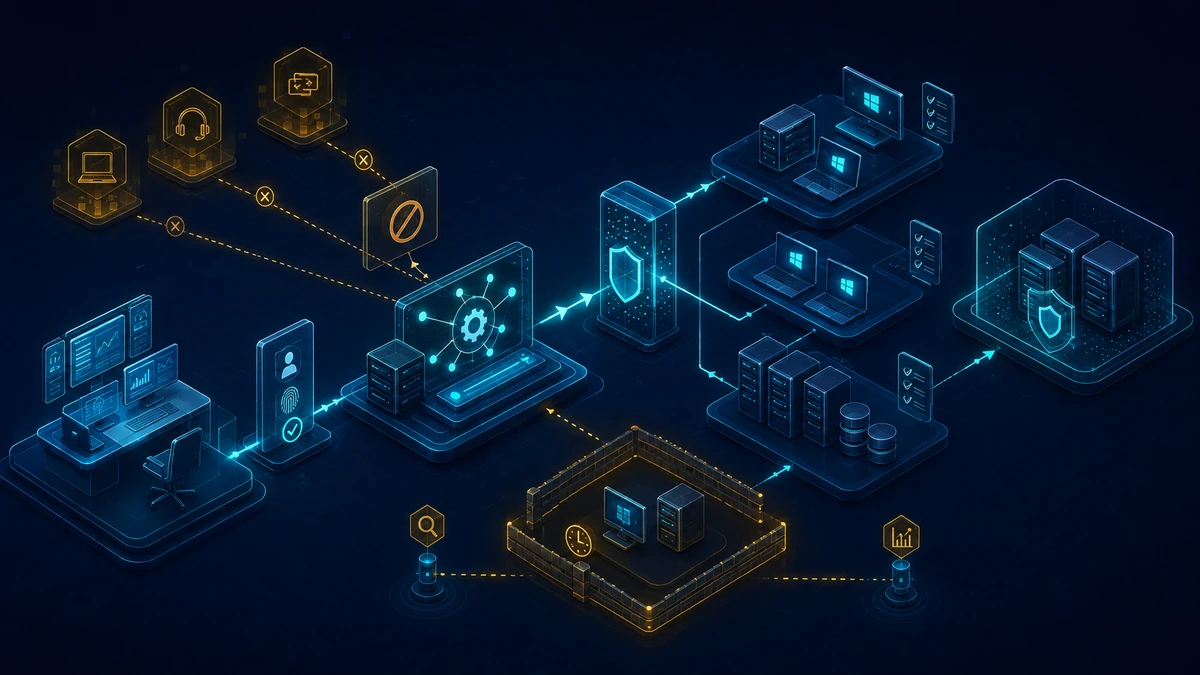
Starting point: remote support is a privileged administration path
Remote monitoring and management tools solve real operational problems. They deploy software, run scripts, open interactive sessions, transfer files and let support teams resolve incidents without visiting the device. Those capabilities also make RMM a highly privileged control path. A permanently installed agent commonly runs as SYSTEM, accepts jobs from a cloud control plane and reaches many endpoints at once. An unknown tool or a compromised approved platform is therefore not an ordinary software finding; it may represent administrative access across the environment.
“Unapproved” means more than “not listed by procurement.” The scope includes:
- a second RMM agent installed by a business unit or service provider,
- portable remote-support software launched from a user-writable directory,
- ad-hoc helpers downloaded by users after a support request,
- old agents left behind after a contract ended,
- approved software bound to an unknown tenant or accessible by unauthorized technician identities,
- browser extensions, remote desktop gateways and management APIs with equivalent control,
- legitimate operational tools deployed to systems or security zones for which they were never approved.
A simple product denylist is insufficient. File names change, portable editions leave no uninstall record, signed applications update frequently, and multiple services can share the same hosting, CDN or cloud infrastructure. A blanket ban also creates outages quickly: help desk operations, software distribution, monitoring, backup and third-party maintenance may rely on the sanctioned platform.
The Active Directory impact is direct. A technician using a remote session may reach administrative tokens, password entry, browser sessions, management consoles or stored credentials. If the same agent runs on domain controllers, certification authorities or Microsoft Entra Connect systems, the RMM control plane effectively becomes part of Tier 0. A well-hardened directory gains little if a separate cloud control plane can administer those systems with weaker identity assurance.
The objective is therefore not to block as many remote tools as possible. It is to establish an explicitly approved and accountable administration path for each security zone, protect it as a privileged platform, and constrain every alternative path through both technical and operational controls.
Target state: approved control paths without shadow administration
A defensible target state combines identity, endpoint, network and operating controls:
- Every remote administration service has an owner and approved purpose. Platform, tenant, target groups, enabled functions, operating windows and accountable teams are documented.
- The sanctioned RMM platform is treated as a privileged identity and control plane. Technicians use individual accounts, phishing-resistant MFA, role-based access and hardened admin workstations. Shared support accounts and standing privileged roles are removed.
- Tier 0 remains separate. Domain controllers, AD CS, Entra Connect, federation systems and other Tier 0 components are not managed by the general endpoint RMM. Where remote administration is unavoidable, it uses a distinct isolated path with separate identities, policy and logging.
- Installed and portable use is inventoried. Software records, services, scheduled tasks, running processes, network connections, browser components, identity-provider applications and procurement data are correlated.
- Application control enforces the normal case. Only approved components with suitable signatures and controlled deployment provenance can execute. Rollout starts in audit mode and proceeds through deployment rings.
- Temporary indicators close urgent gaps. Endpoint hash, certificate, URL or IP indicators provide time-bound containment, not the long-term architecture.
- Network access is restricted by device group and purpose. Uncontrolled direct egress is reduced, while proxy, DNS, firewall and EDR telemetry makes remote-control traffic reviewable.
- Sessions are attributable and auditable. Authentication, approval, file transfer, shell or script execution, privilege changes and API use are recorded centrally in tamper-resistant logs outside direct RMM administrator control.
- Exceptions have an owner and expiry. They apply to specifically identified devices, users, components and functions and automatically return for review.
- An incident runbook covers unknown discoveries. It distinguishes misconfiguration, shadow IT, forgotten supplier access and possible compromise without destroying evidence through premature removal.
The target is not “one permitted vendor.” Even an approved application is unapproved on the wrong system, when bound to the wrong tenant or operated through an uncontrolled identity.
Implementation: from discovery to enforced control
1) Define scope, tiers and accountability first
Start with administrative zones rather than a list of product names. Separate at least user endpoints, standard servers, critical application servers, management systems and Tier 0. Assign permitted support paths to each zone. Unattended support might be acceptable on clients, while a domain controller should require a hardened administrative path with interactive approval and narrowly scoped roles—or no RMM agent at all.
The sanctioned platform needs a named service owner, security owner, platform administrators, help desk roles and third-party support roles. Document who can enroll new targets, enable technicians, modify policy, publish scripts, and delete or export logs. These platform-control permissions are often more consequential than any individual support session.
Record the actual business processes: user support, server maintenance, on-call operations, software deployment, monitoring, vendor support and emergency access. A ban with no usable replacement almost guarantees the arrival of another ad-hoc tool. At the same time, “support needs remote access” does not justify unrestricted file transfer, background shells or access to every security zone.
2) Inventory installed, portable and cloud-bound use
A reliable inventory combines several sources:
- EDR and software inventory for installed packages, services, drivers and autoruns,
- process, module and network telemetry for portable or renamed programs,
- software distribution and package management as evidence of an approved installation path,
- proxy, firewall and DNS logs for recurring remote-control destinations,
- browser and extension management for web-based support channels,
- identity-provider records, enterprise applications, OAuth grants and API keys,
- CMDB, procurement, licensing and service-provider contracts,
- scheduled tasks, startup locations and persistent user components.
The following PowerShell block is read-only. On a Windows system, it returns a point-in-time view of non-disabled services and established TCP connections. Path and signature status are collected only for the process that owns each connection. The result is a starting point for review, not an automatic RMM verdict:
& {
  Set-StrictMode -Version Latest

  Get-CimInstance -ClassName Win32_Service -ErrorAction Stop |
    Where-Object { $_.StartMode -ne 'Disabled' } |
    ForEach-Object {
      [pscustomobject]@{
        RecordType = 'Service'
        Name       = $_.Name
        State      = $_.State
        StartMode  = $_.StartMode
        StartName  = $_.StartName
        ImagePath  = $_.PathName
        RemoteIP   = $null
        RemotePort = $null
        Signature  = $null
        Signer     = $null
      }
    }

  Get-NetTCPConnection -State Established -ErrorAction SilentlyContinue |
    ForEach-Object {
      $process = Get-Process -Id $_.OwningProcess -ErrorAction SilentlyContinue
      $executablePath = $null
      $processName = $null
      if ($process) {
        $processName = $process.ProcessName
        try { $executablePath = $process.Path } catch { }
      }

      $signatureStatus = $null
      $signerSubject = $null
      if ($executablePath -and
          (Test-Path -LiteralPath $executablePath -PathType Leaf)) {
        $signature = Get-AuthenticodeSignature -LiteralPath $executablePath
        $signatureStatus = [string]$signature.Status
        if ($signature.SignerCertificate) {
          $signerSubject = $signature.SignerCertificate.Subject
        }
      }

      [pscustomobject]@{
        RecordType = 'Connection'
        Name       = $processName
        State      = 'Established'
        StartMode  = $null
        StartName  = $null
        ImagePath  = $executablePath
        RemoteIP   = $_.RemoteAddress
        RemotePort = $_.RemotePort
        Signature  = $signatureStatus
        Signer     = $signerSubject
      }
    }
}
Run this type of query through the existing protected endpoint-management channel, and keep the output in an access-controlled workspace. Process paths, usernames and destinations can disclose security-relevant details. A snapshot also misses short-lived processes and offline devices; centrally collected telemetry over a representative period remains necessary.
Do not classify a result by file name or company metadata alone. Evaluate the signing chain, original file name, product metadata, installation source, service definition, parent process, target devices, network destinations and associated tenant. A valid Authenticode signature confirms integrity since signing and the publisher identity represented by a trusted certificate chain; it proves neither safety nor organizational approval.
3) Harden the sanctioned platform as a privileged system
The RMM tenant deserves controls comparable to other central administration systems. Enforce single sign-on with phishing-resistant MFA, and disable routine local platform accounts where the product allows it. Maintain tested, independently protected emergency identities according to vendor and availability requirements, and reserve them for genuine emergencies. Technicians receive individual identities; roles are split by function and target group. Privileged access is time-bound and recertified regularly.
Platform administration and daily support should originate from managed administrative workstations. Conditional Access or equivalent controls restrict sign-in to compliant devices and expected locations. Third parties receive separate, expiring identities rather than shared credentials. Offboarding must cover SSO access, local platform accounts, API tokens, device certificates and active sessions.
Restrict high-risk capabilities by role: background shell, script execution, file transfer, credential use, clipboard, recording and changes to endpoint security. Where supported, administrative credentials are injected from a vault rather than revealed to the technician or stored on the endpoint. Platform API keys belong in a secret store, carry minimal scope and short validity, and have a tested rotation procedure.
Changes to policy, roles, script libraries, agent packages, tenant binding and log configuration require dual approval or at least independent alerting. The platform must never depend on a standing Domain Admin account. An agent running as SYSTEM makes platform and identity security more important, not less.
Define patch and advisory service levels for the console, gateways, agents and integrations. Mass operations such as scripting, software deployment or policy changes across many devices require a clear target preview, re-authentication and, above a risk-based threshold, second-person approval. Limited concurrency and a tested cancellation route reduce the impact of an erroneous or abusive task.
4) Separate Tier 0 technically and administratively
The general client or server agent should not run by default on domain controllers, AD certification authorities, Entra Connect servers, federation services, privileged access workstations or other Tier 0 components. A broad RMM group such as “all Windows servers” must not include these systems accidentally. Use dedicated device groups, deployment exclusions and an independent control query that recognizes absence of the general agent on Tier 0 as the desired state.
Where a Tier 0 system must be administered remotely, use a distinct path: separate admin identities, hardened source systems, no sign-in from the general help desk context, narrow network allowlisting, per-session approval and complete logs. Depending on the operating model, an isolated management host, privileged session broker or separate RMM instance may be appropriate. The essential property is that compromise of the normal support control plane does not automatically reach Tier 0.
Include indirect paths. An RMM server, software deployment system or jump host becomes Tier 0 itself if it stores Domain Admin credentials, permits interactive DC access or signs Tier 0 packages. Service accounts receive no broad interactive or network logon rights. Local administrator passwords are unique and managed per device; reused secrets defeat the intended segmentation.
5) Introduce application control in audit mode and deployment rings
App Control for Business, formerly commonly referred to as Windows Defender Application Control, is a robust technical layer against unapproved executable components. AppLocker may serve as a complementary or interim control depending on platform support and the existing operating model. The core requirement is a positive execution policy, not an ever-growing collection of blocked file names.
Build the initial baseline from controlled production activity: operating-system components, managed application packages, internally signed tools and the sanctioned RMM agent. Prefer suitable publisher and signer rules with sufficiently narrow product constraints. Path rules are weak in user-writable locations, while hash-only rules fail at every update. Managed Installer or equivalent deployment-trust models can help, but the software distribution path then requires equally strong protection.
Use staged rollout:
- lab and IT test devices with audit telemetry,
- security and administrative workstations,
- representative business-user pilots,
- broad client rings,
- servers grouped by application class and criticality,
- separate stricter policies for management and Tier 0 zones.
Review audit events for genuine dependencies, update mechanisms, plug-ins, script hosts and helper tools. Every addition needs an owner and traceable source. Move each ring to enforcement only after that review. Maintain a tested recovery route in case a required binary is blocked. Disabling the policy globally is not an acceptable rollback.
Do not allow every binary from a publisher merely because its RMM product is approved. A broad signer rule may include unrelated and unnecessary tools. Conversely, do not block a publisher certificate without checking whether the same publisher signs other business-critical software.
6) Use Defender indicators only for time-bound containment
After a confirmed finding of an unapproved tool, the application-control change may not yet be deployed. Endpoint indicators for specific hashes, certificates, URLs, domains or IP addresses can close the immediate gap. Each indicator needs a source, rationale, target scope, creation time, owner and expiry.
Hash blocks become obsolete after normal updates or repackaging of portable files. Certificate blocks have a wider blast radius and may affect other products from the same publisher. Domains and IP addresses may be shared across tenants, change dynamically or support legitimate services. Pilot and dependency-test any broad block, and define a recovery route before rollout.
Microsoft Defender for Endpoint also has enforcement prerequisites: file and certificate indicators require Defender Antivirus in active mode with cloud protection; enforcing URL and IP indicators outside Microsoft Edge requires Network Protection. Certificate indicators apply to the leaf signing certificate, and Microsoft-signed applications cannot be blocked this way. Policies also do not become effective everywhere immediately. Verify enforcement on pilot endpoints before treating containment as complete.
Move durable requirements into application control, deployment policy and platform governance. An indicator collection that grows for years is difficult to audit and creates false confidence. It also cannot establish whether an allowed binary is connected to the wrong RMM tenant.
7) Restrict egress and enforce tenant binding
Host firewall, secure web gateway, DNS control and network segmentation reduce alternative remote-access paths. Where operations permit, endpoints use controlled resolvers and proxies while unrestricted direct egress is reduced. Document the approved RMM destinations, ports and protocols for each device group. Servers and Tier 0 require tighter policies than user endpoints.
Static IP lists are often unsuitable for cloud platforms. Use documented, technically supported endpoints and automate their controlled update. Test WebSockets, fallback transports and update channels in the pilot ring. TLS inspection can break certificate pinning, agent updates or session establishment and should not be enabled without testing.
Network rules often cannot distinguish the approved tenant from an unknown tenant on the same service. Where supported, combine them with signed agent configuration, organization or tenant binding, short-lived installation tokens and server-side device approval. Alert when a managed endpoint creates a second remote-administration channel or the approved agent changes its expected destination.
8) Build telemetry from behavior and baseline
Collect at least process creation, service installation, scheduled tasks, network connections, file downloads, authentication events, agent enrollment, interactive sessions, script and shell activity, and platform audit logs. Forward logs promptly to a system that RMM administrators cannot erase themselves. Time synchronization, device identity and user attribution must be consistent.
The following Microsoft Defender Advanced Hunting query contains no fixed product list. It surfaces network-active processes running from common user-writable or staging-adjacent locations. This is a hunting hypothesis for portable tools, not an automatic finding:
let lookback = 7d;
DeviceNetworkEvents
| where Timestamp >= ago(lookback)
| where ActionType == "ConnectionSuccess"
| where RemoteIPType == "Public"
| extend LowerPath = tolower(InitiatingProcessFolderPath)
| extend Account = case(
    isnotempty(InitiatingProcessAccountUpn), InitiatingProcessAccountUpn,
    isnotempty(InitiatingProcessAccountName),
      strcat(InitiatingProcessAccountDomain, "/", InitiatingProcessAccountName),
    InitiatingProcessAccountSid
  )
| where LowerPath has_any (
    @"\appdata\", @"\downloads\", @"\users\public\",
    @"\windows\temp\", @"\programdata\"
  )
| summarize
    FirstSeen = min(Timestamp),
    LastSeen = max(Timestamp),
    Connections = count(),
    Destinations = make_set(iff(isnotempty(RemoteUrl), RemoteUrl, RemoteIP), 25),
    Users = make_set(Account, 10),
    Paths = make_set(InitiatingProcessFolderPath, 10)
  by DeviceId, DeviceName, InitiatingProcessFileName, InitiatingProcessSHA1,
     InitiatingProcessVersionInfoCompanyName
| order by LastSeen desc
Tune the time window and path hypotheses to the environment. ProgramData contains many legitimate agents and will create noise, while shadow software installed under Program Files will not match this condition. Correlation with software inventory, service events, signature evidence, destination domains and the approved device-to-tenant assignment is mandatory.
Strong detections do not search only for known names. They identify new persistent services with external traffic, unusual child processes of the support agent, first-seen destinations, remote access outside support windows, execution on excluded servers, and modifications to platform roles or script libraries. Maintain baselines by device group; a help desk client and a domain controller do not have the same expected behavior.
9) Remove unapproved components in a controlled way
Do not automatically uninstall an unknown agent immediately. First establish whether it is an approved change, forgotten legacy contract, shadow IT or a potential security incident. Preserve volatile and central telemetry, and identify installation time, initiating user, persistence, targeted devices, tenant association and observed sessions. Where compromise is suspected, let the incident runbook drive network isolation, blocking, forensic preservation and communications.
For operationally unapproved but non-compromised software, pilot removal through the approved software-distribution channel. Stop and uninstall only components that have been attributed confidently; then inspect services, tasks, drivers, user profiles, firewall rules and outbound connections. A restart and a second inventory provide completion evidence. Avoid generic cleanup scripts that delete files or registry branches based on loose naming patterns.
If the tool was used for administration, assess the affected accounts, tokens, API keys and secrets that might have been exposed on target systems. Rotate them based on evidence and with the responsible owners. A blanket password reset without dependency analysis can harm operations more than the original finding. For the approved RMM tenant, include active sessions, unknown technicians, role changes and new agent enrollments in the same review.
10) Make exceptions and incident procedures operational
An exception records at least the business reason, accountable owner, exact devices and users, allowed version or signature, required capabilities, network destinations, handled data, compensating controls, approval and expiry. “Until replacement” is not a date. Shortly before expiry, the exception must be reviewed again; without confirmed renewal, the technical access ends.
Confine exceptions to dedicated device groups and minimum roles. Unattended access, file transfer or background shell is enabled only if the use case needs it. Supplier access follows maintenance windows and tickets. A temporary tool must not receive Domain Admin credentials or reach Tier 0.
The incident runbook should answer in advance:
- Who classifies the finding, and who may block an agent?
- Which telemetry must be preserved before removal?
- When is a device isolated, and when should it remain online for observation?
- How will the enterprise be searched for further instances using hashes, signers, installation paths, destinations and behavior?
- Which platform, AD and local identities must be reviewed or disabled?
- When must privacy, legal, employee representation, service-provider or customer communications be involved?
- How will remediation, reconnection and credential rotation be verified?
Exercise this workflow with a controlled test finding. During a real incident, the difficult part is not the blocking syntax; it is deciding whether the team is interrupting legitimate support or an active unauthorized connection.
Benefits: fewer uncontrolled admin paths and better evidence
- The attack surface is reduced. Portable and installed shadow tools cannot freely establish a second administrative channel.
- Tier 0 remains separate from normal support. Compromise of help desk or client RMM does not automatically expose domain controllers and certification authorities.
- Technician activity becomes attributable. Individual identity, short-lived privilege and central session logs replace shared accounts and opaque access.
- Application control also covers unknown products. A positive execution model depends less on continuously maintained vendor and hash lists.
- Exceptions become manageable. Owners, narrow scope and expiry prevent temporary supplier access from becoming permanent.
- Incident response becomes faster. Inventory, telemetry and a rehearsed runbook provide context before systems are cleaned prematurely.
- The sanctioned service becomes more resilient. Update paths, roles, logging, recovery and platform tokens gain a defined lifecycle.
Drawbacks and limits: control requires continuous operation
- Application control takes effort to introduce and maintain. Incomplete baselines can block business applications, updaters, plug-ins or internal tools. Audit rings and recovery are essential.
- An approved platform remains an attractive target. Allowlisting cannot prevent abuse by a legitimate technician or compromise of the RMM cloud or API.
- Network blocking is imprecise. Shared cloud infrastructure, dynamic endpoints and encrypted sessions make clean separation by product or tenant difficult.
- Portable and fileless variants create detection gaps. Process, identity and network behavior must supplement software inventory.
- Strict controls can slow support. Session approval, just-in-time privilege and separate admin paths add time to some incident-resolution workflows.
- Session recording creates privacy, employee-representation and labor-law obligations. Purpose, access, retention and notice require explicit policy.
- Legacy devices may not support modern policy fully. They need segmentation, a replacement plan and a time-bound risk register rather than permanent global exceptions.
- A block does not prove remediation. Persistence, active sessions, identities and possibly exposed credentials require separate review after a discovery.
- This control does not replace AD fundamentals. Tiering, LAPS, Credential Guard, MFA, PAWs, restrictive logon rights and secure backups remain necessary.
Common pitfalls
- Reviewing only uninstall records and missing portable applications, user installs or browser-based paths.
- Classifying software by file name without validating signature, origin, tenant and observed behavior.
- Broadly permitting every signed binary from the approved publisher.
- Treating hash denylisting as a durable strategy and missing updates or repackaged files.
- Blocking an entire domain or signing certificate without testing shared-hosting and product dependencies.
- Deploying the approved agent to “all servers” and unintentionally enrolling Tier 0.
- Operating the RMM console with weak MFA, shared accounts or standing privileged roles.
- Removing third-party users only from the ticket system while local accounts, tokens and sessions remain valid.
- Giving every support role file transfer, shell and script execution.
- Ignoring tenant binding and checking only whether the expected binary is running.
- Enabling audit mode but never reviewing events or progressing to enforcement.
- Disabling application control globally after one false block rather than correcting the affected rule safely.
- Automatically removing an unknown agent and destroying timeline or incident evidence.
- Copying process and network detail into open tickets and unnecessarily exposing internal information.
- Approving exceptions without exact scope, compensating controls and expiry.
- Reviewing clients only while omitting management servers, VDI, terminal servers, labs or acquired environments.
- Measuring success by blocked-hash count instead of coverage, Tier 0 separation and remaining exceptions.
Project checklist
- [ ] Define separate control zones for user endpoints, servers, management systems and Tier 0.
- [ ] Document permitted remote administration paths and capabilities for every zone.
- [ ] Name the service owner, security owner, platform administrators and approvers.
- [ ] Record the approved platform, tenant, agent packages, signatures and deployment sources.
- [ ] Inventory installed software, services, drivers, tasks and autoruns from central sources.
- [ ] Review portable processes and external connections across a representative EDR period.
- [ ] Include browser extensions, identity-provider applications, OAuth grants and API tokens.
- [ ] Reconcile technical findings with CMDB, procurement, licensing and supplier records.
- [ ] Exclude Tier 0 systems from general RMM target groups and deployment policies.
- [ ] Define a separate hardened admin path for necessary Tier 0 remote access.
- [ ] Enforce individual technician identities and phishing-resistant MFA.
- [ ] Implement roles, target groups, just-in-time privilege and recurring access reviews.
- [ ] Remove shared accounts, standing Domain Admin use and unprotected API keys.
- [ ] Restrict file transfer, shell and script execution by role.
- [ ] Define patch and advisory service levels for the console, gateways, agents and integrations.
- [ ] Require re-authentication, target preview and second-person approval for risky mass operations.
- [ ] Forward platform, role, script, session and agent-enrollment logs centrally.
- [ ] Build an application-control baseline from controlled installation and signing sources.
- [ ] Plan accountable audit rings for IT, pilots, clients and servers.
- [ ] Review audit findings and obtain business validation for required exceptions.
- [ ] Enable enforcement ring by ring and test recovery procedures.
- [ ] Document temporary Defender indicators with owner, scope and expiry.
- [ ] Restrict egress by device type and document approved destinations.
- [ ] Verify tenant or organization binding for the permitted agent.
- [ ] Detect new services, unknown destinations, unusual child processes and use outside approved groups.
- [ ] Create a controlled removal procedure with reinventory and reboot evidence.
- [ ] Approve an incident runbook for classification, evidence preservation, isolation and identity review.
- [ ] Maintain an exception register with device, user, function, owner, controls and fixed expiry.
- [ ] Test supplier offboarding across SSO, local accounts, tokens, certificates and sessions.
- [ ] Define privacy, retention and access requirements for session and activity records.
- [ ] Exercise a controlled test finding and recovery from a false application block.
- [ ] Schedule recurring reviews for new tools, expired exceptions and RMM presence in Tier 0.