
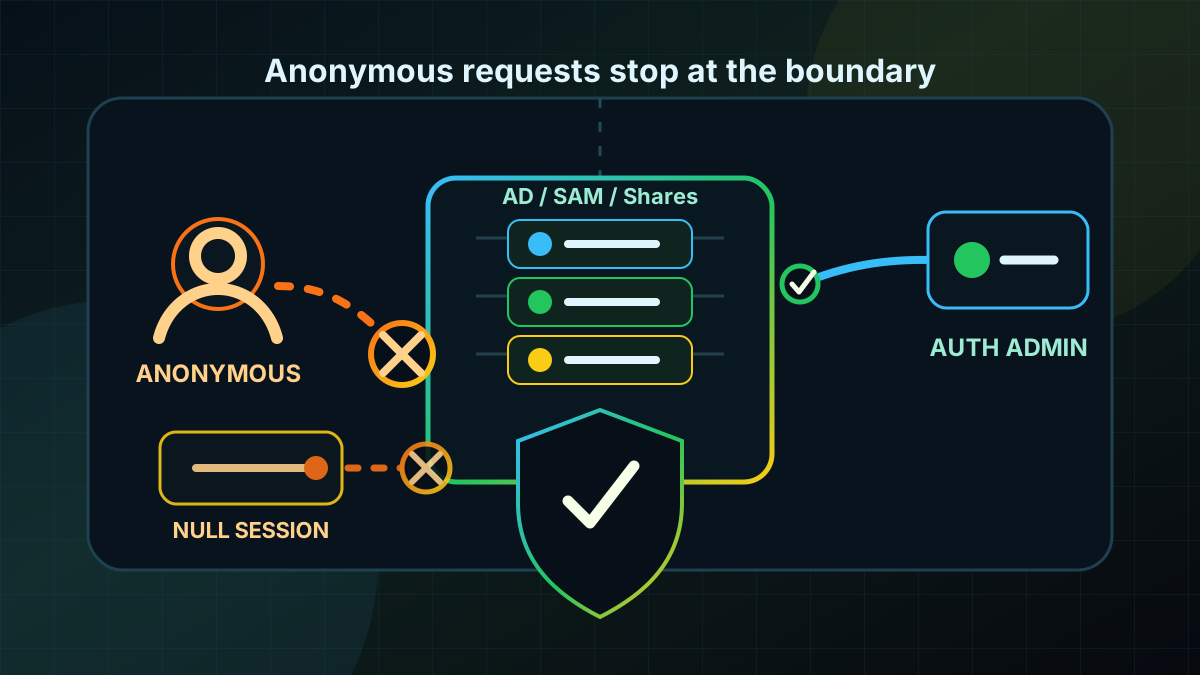
Starting point: old read paths are often too open
Anonymous enumeration is not a spectacular attack path. That is exactly why it remains in many Active Directory environments for a long time. A system still allows unauthenticated visibility into local SAM accounts, shares, named pipes, SID-to-name translation or LDAP base information. From an operations perspective this can look harmless because no data is modified.
From a defensive perspective it still matters. User and group names, server roles, share names and naming conventions help with password spraying, Kerberoasting prioritization, social engineering and lateral orientation. Each individual disclosure may be small. Combined, it becomes useful inventory before a normal account has even been compromised.
Modern Windows baselines are far more restrictive than old NT and early Windows Server environments. The problem is grown domains, legacy GPOs, appliances, NAS systems, non-standard server roles and historic exceptions for "everyone can read". Domain Controllers, file and application servers, and management systems are especially sensitive when they still tolerate guest or null-session behavior.
The goal is not to prevent every unauthenticated packet. Some protocols expose minimal information for technical reasons, for example LDAP RootDSE. The goal is to consistently limit anonymous access to useful identity, share and management information.
Target state: no useful inventory without sign-in
A solid target state is specific:
- Anonymous SAM and share enumeration is blocked. Local accounts and shares cannot be meaningfully inventoried without authentication.
- SID-to-name translation is not anonymous. Old compatibility is not accepted as the default.
- Null sessions have no operational shares.
NullSessionSharesandNullSessionPipesare empty or tightly justified. - Everyone does not mean Anonymous. Anonymous users do not inherit Everyone permissions.
- Remote SAM queries are restricted. Only defined admin or management groups can read local SAM data remotely.
- Guest paths are controlled separately. Insecure Guest Logons and anonymous SMB usage are not used as substitutes for proper authentication.
- Exceptions expire. Every legacy exception has an owner, reason, affected systems and expiration date.
The practical target: an unauthenticated client can see that a service exists, but it cannot obtain a useful list of users, groups, shares, named pipes or roles.
Implementation: baseline, pilot, exceptions
1) Check the current state without domain credentials
Start from a test system that has no cached domain credentials and is not logged on as a privileged admin. Otherwise you may accidentally measure normal authentication instead of anonymous behavior.
Minimal defensive test for SMB null-session behavior:
$targets = @(
  'dc01.corp.example',
  'filesrv01.corp.example',
  'mgmt01.corp.example'
)

foreach ($target in $targets) {
  cmd.exe /c "net use \\$target\IPC$ """" /user:"""""
  cmd.exe /c "net view \\$target /all"
  cmd.exe /c "net use \\$target\IPC$ /delete"
}
This is not a tool comparison and not offensive enumeration. You simply want to know whether anonymous IPC access or share listing still works. On hardened systems you expect access denied or an empty, non-useful view.
Add log visibility: security events with ANONYMOUS LOGON or SID S-1-5-7, SMB server events, firewall logs and signals from EDR or SIEM. If anonymous access still succeeds, capture the target system, access path and process context.
2) Set Security Options explicitly through GPO
Create a dedicated computer GPO for the baseline instead of hiding old settings in an overloaded Default Domain Policy. The relevant settings are under:
Computer Configuration > Windows Settings > Security Settings > Local Policies > Security Options
At minimum, set these controls deliberately:
- Network access: Do not allow anonymous enumeration of SAM accounts: Enabled.
- Network access: Do not allow anonymous enumeration of SAM accounts and shares: Enabled.
- Network access: Let Everyone permissions apply to anonymous users: Disabled.
- Network access: Restrict anonymous access to Named Pipes and Shares: Enabled.
- Network access: Allow anonymous SID/Name translation: Disabled.
- Network access: Named Pipes that can be accessed anonymously: empty or tightly justified individual values.
- Network access: Shares that can be accessed anonymously: empty or tightly justified individual values.
Traceability matters. If a setting is already restrictive by default, document it in the baseline anyway. That makes later drift visible instead of being dismissed as "it has always been that way".
3) Harden remote SAM access separately
The anonymous baseline alone is not always enough. Many tools, helpdesk processes and legacy scripts read local groups and accounts remotely through SAMR. That is not automatically anonymous, but it is often too broadly allowed.
Therefore review this setting:
Network access: Restrict clients allowed to make remote calls to SAM
Do not apply it blindly to every server at once. Start with workstations and standard member servers, then move to critical server roles. The goal is an allowlist for authorized administration or management groups, not normal Domain Users. Domain Controllers, clusters, special appliances and old management products need a pilot first.
Typical sequence:
- Capture queries and the involved management systems.
- Identify helpdesk, inventory and EDR processes.
- Select a pilot OU with a few workstations or member servers.
- Set the remote SAM policy and test admin workflows.
- Document exceptions or fix tooling.
- Expand the baseline in waves.
This control does more than reduce anonymous information disclosure. It also limits authenticated bulk queries of local accounts and groups.
4) Clean up null-session pipes and shares
Historically, individual named pipes or shares were opened for anonymous use so old services could function. In modern AD environments that should rarely be necessary.
Review the effective values on servers for:
NullSessionPipesNullSessionSharesRestrictNullSessAccess
Do not rely only on registry values. Include role knowledge. An empty value is good, but an application can still use guest or shared-account logic. Conversely, an old entry is not automatically still required.
Clean workflow:
- Inventory values centrally.
- Map server role and owner.
- Confirm or refute anonymous usage in logs.
- Remove entries in pilot groups.
- Run application tests with fresh sessions.
- Track remaining values as exceptions with expiration dates.
If nobody can explain the purpose of an anonymously reachable pipe or share, that is a strong cleanup signal.
5) Do not exclude LDAP and Domain Controllers
LDAP on Domain Controllers exposes some base information even without a bind. That is normal and partially required for clients. It becomes critical when old compatibility settings allow anonymous LDAP queries beyond the expected minimum.
Check whether the environment contains historic settings that expand anonymous LDAP operations. Examples include old migration adjustments, special directory service settings and applications that were never moved to authenticated binds.
For Domain Controllers:
- No anonymous LDAP queries for user, group or computer inventory.
- Plan LDAP signing and channel binding as separate hardening topics.
- Identify old application binds and move them to dedicated, low-privilege service accounts.
- Make anonymous logons and LDAP bind failures visible in monitoring.
Treat Domain Controllers more strictly than normal servers. If DCs expose useful identity data anonymously, the information advantage is domain-wide.
6) Separate guest access and Everyone permissions
Anonymous enumeration is often mixed with guest access. Technically these are different paths, but operationally they cause the same problem: resources are readable without a traceable identity.
Review in parallel:
- Insecure Guest Logons for SMB.
- Local Guest accounts and their status.
- Share and NTFS permissions with
Everyone,Guest,ANONYMOUS LOGONor broad local groups. - Appliances or NAS systems that only partially model Windows permissions.
- Old scan, print or drop zones that are expected to "just work anonymously".
The target is not "no Everyone anywhere". The target is: Everyone does not include Anonymous, guest access is disabled or tightly isolated, and production shares require traceable identities.
7) Roll out in sensible waves
A practical rollout looks like this:
- Check Domain Controllers and Tier-0 servers in read-only mode.
- Inventory workstations and standard member servers.
- Apply the Security Options GPO to a pilot OU.
- Pilot the remote SAM restriction separately.
- Clean null-session pipes and shares per server role.
- Add file servers, application servers and management systems in waves.
- Document exceptions with owner and expiration date.
- Monitor for
ANONYMOUS LOGON, guest paths and policy drift.
The main rule: do not set everything globally on a Friday evening. The settings are generally sensible, but legacy applications and management products can unexpectedly depend on old read paths.
Advantages
- Less useful pre-auth knowledge: user, group, share and role information is much harder to obtain without sign-in.
- Better foundation against spraying and roasting: name lists and service hints no longer fall out of anonymous queries.
- Clearer server baselines: DCs, member servers, workstations and management systems receive traceable Security Options.
- Less legacy debt: null sessions, guest paths and old Everyone assumptions become visible.
- Low technical complexity: many controls are built in and can be rolled out through GPO.
- Good auditability: successful anonymous access can be monitored through events, firewall data and SIEM.
Disadvantages and limits
- Legacy can break: old applications, inventory tools, NAS systems or print workflows sometimes use unauthenticated read paths.
- Not all base information disappears: protocols such as LDAP still expose certain RootDSE or service information.
- Not a complete AD hardening program: this does not replace password, Kerberos, SMB, LDAP or tiering baselines.
- Remote SAM restrictions need testing: helpdesk and EDR functions may legitimately require local group queries.
- Guest access is separate work: anonymous hardening is only complete when guest logons and share permissions are cleaned up too.
- Appliances behave inconsistently: NAS, scanners, old Linux/Samba systems and special software do not always follow Windows GPO logic.
Common project pitfalls
- Testing with admin credentials: then you are not measuring Anonymous, but your current logon.
- Looking only at Domain Controllers: member servers and workstations often reveal local accounts, groups or shares.
- Blocking remote SAM globally: without a pilot, helpdesk, EDR or inventory processes may fail.
- Misunderstanding Everyone: if Anonymous is included in Everyone, broad permissions behave differently than expected.
- Missing NullSession values: old registry entries survive server migrations and base images.
- Judging LDAP too broadly: RootDSE visibility is not the same as anonymous object listing.
- Not time-boxing exceptions: once created, legacy exceptions otherwise become permanent.
- Forgetting monitoring: without event and drift visibility, the old misconfiguration returns later.
Project checklist
- [ ] Prepare a test system without domain credentials for anonymous checks.
- [ ] Include Domain Controllers, file servers, management systems, member servers and workstations without sampling gaps.
- [ ] Inventory current anonymous, guest, null-session and remote SAM settings.
- [ ] Define a Security Options GPO explicitly for anonymous enumeration.
- [ ] Set
EveryoneIncludesAnonymous, SID/name translation, SAM and share enumeration restrictively. - [ ] Review and clean
NullSessionPipesandNullSessionSharesper server role. - [ ] Test remote SAM restriction separately with helpdesk, EDR and inventory workflows.
- [ ] Review guest access, SMB insecure guest logons and share permissions in parallel.
- [ ] Check DCs for expanded anonymous LDAP compatibility and anonymous logons.
- [ ] Define pilot OU, rollout waves, fallback path and change window.
- [ ] Document exceptions with owner, technical reason, expiration date and review cycle.
- [ ] Monitor for
ANONYMOUS LOGON, SIDS-1-5-7, guest paths and policy drift.