
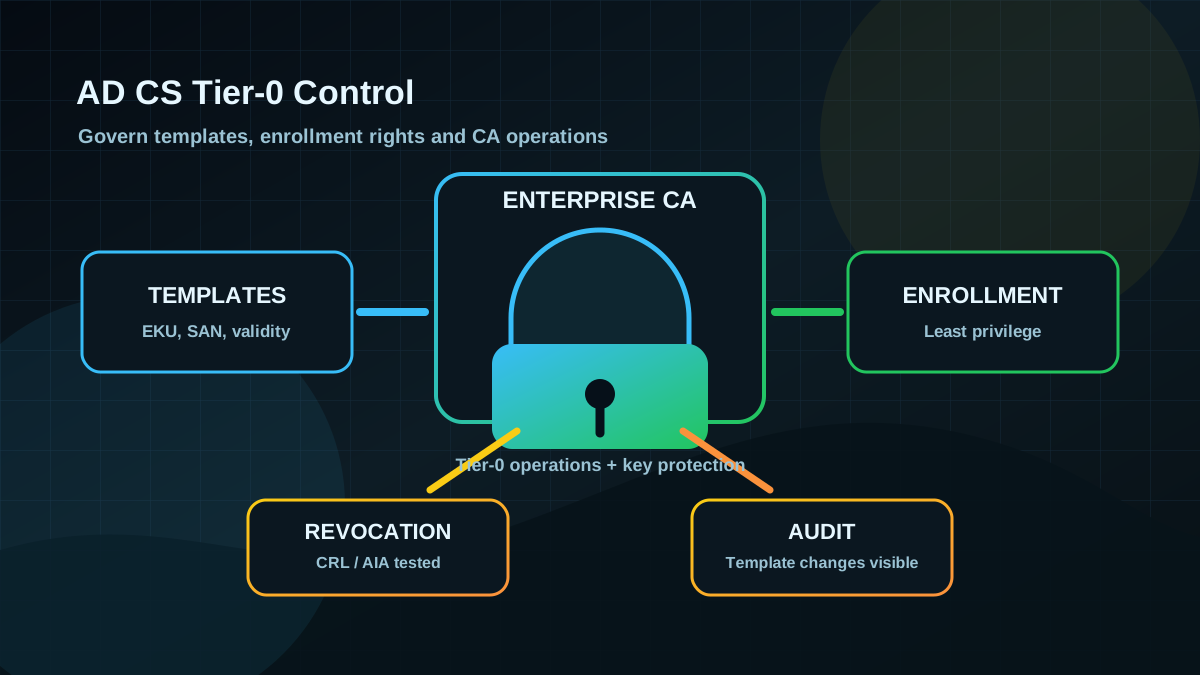
Starting point: PKI often grows quietly next to AD
Active Directory Certificate Services (AD CS) is often treated as infrastructure rather than an identity control: WLAN certificates, VPN, smartcards, LDAPS, internal web servers, old enrollment pages, autoenrollment for clients. That is exactly where the risk comes from. The CA keeps running, templates are rarely reviewed, and enrollment rights stay unchanged for years.
The critical point: certificates are not just encryption. In AD environments they can enable authentication. If an identity can obtain a suitable certificate, it may be able to authenticate to AD services without knowing a password. That is why AD CS belongs in every Tier-0 program.
This does not mean panic or a full rebuild. It means AD CS needs ownership, clean templates, controlled enrollment rights and measurable operating processes.
Target state: CA and templates are intentionally governed
A defensible target state looks like this:
- All Enterprise CAs are inventoried, including roles, patch state, hardening, backup and ownership.
- Certificate templates are classified: authentication, server, client, enrollment agent, SubCA, legacy.
- Enrollment rights follow least privilege instead of “Domain Users can request everything”.
- Sensitive templates enforce control: no free subject/SAN supply without a clear reason, manager approval or defined issuance requirements where needed.
- CA systems are operated as Tier 0: small admin set, strong logging, controlled admin logons, clear recovery.
- Changes are traceable: template changes, CA configuration and certificate issuance are monitored.
The goal is not to block certificate usage. The goal is to stop certificates from silently becoming privileged identities.
Implementation: from inventory to controlled change
1) Capture the CA landscape and trust chain
Start with a read-only inventory. For project steering you need clarity, not attack simulation:
- Which Enterprise CAs exist?
- Which CAs are published and trusted in AD?
- Which certificate templates are actually issued?
- Which templates allow autoenrollment?
- Who is local administrator on the CA servers?
- Who can change CA and template configuration?
- Where are CRL and AIA paths, and are they reachable?
Pragmatic starting points:
certutil.exe -config - -ping
certutil.exe -catemplates
certutil.exe -dump
Important: these commands do not replace permission analysis. They only help you see the landscape. The real work is in templates, ACLs, CA roles and change history.
2) Prioritize templates by authentication risk
Not every template is equally critical. Prioritize templates that issue or influence identity:
- Client Authentication, Smartcard Logon, PKINIT/Kerberos-adjacent usage
- Any Purpose or very broad EKUs
- Enrollment Agent and SubCA
- templates with “Enrollee supplies subject” or controllable SAN
- templates with broad enrollment or autoenrollment rights
- long validity without strong governance
These patterns show up repeatedly in AD CS findings. You do not need to treat them as an exploit catalog. Treat them as risk classes: who can obtain a certificate, who is it valid for, and what can it be used for?
3) Reduce enrollment rights
The most common clean fix is not spectacular: reduce rights.
Practical guardrails:
- Do not expose authentication templates broadly to
Domain Usersor large catch-all groups. - Allow autoenrollment only for clearly defined device or user groups.
- Document sensitive templates with owner, purpose, validity, approval process and expiry.
- Do not just disable legacy templates before understanding dependencies.
- Put template ACL changes through change control and peer review.
The operational value is high: if only the intended identities can receive certificates, risk drops significantly without rebuilding the entire PKI.
4) Treat CA servers as Tier-0 systems
An Enterprise CA is not a normal Windows server. Anyone who can administer the CA or control its templates can influence identities in the domain.
Minimum baseline:
- Include CA servers in the Tier-0 operating model.
- Strictly limit local administrators and CA roles.
- Avoid daily administration with ordinary server-admin accounts.
- Restrict interactive logons on CA systems.
- Allow RDP, PowerShell Remoting and local sign-in only through defined admin paths.
- Ensure EDR/monitoring, patch management and protected backups.
- Review CA private key protection, using HSM/TPM or clear export controls where criticality justifies it.
If the CA is old and nobody wants to touch it, that is project risk, not an operating argument.
5) Fix revocation, validity and audit
AD CS hardening does not stop at templates. Also validate:
- CRL and AIA paths are reachable, redundant and documented.
- certificate validity periods fit the risk of the template.
- revocation processes are tested, not just described.
- CA auditing is enabled and centrally collected.
- template changes and CA role changes create alerts or at least review signals.
- exceptions have an owner and expiry date.
Short validity without a working renewal process creates outages. Long validity without governance creates security risk. Both must be planned together.
6) Roll out changes in waves
A good AD CS change rarely has a “big bang”.
Pragmatic sequence:
- Inventory and risk classification.
- Review critical templates in a pilot scope.
- Remove broad enrollment rights or replace them with defined groups.
- Clarify legacy dependencies with application owners.
- Harden sensitive templates with approval/issuance requirements.
- Move CA servers into Tier-0 operations.
- Establish audit and recurring review.
Always validate: which certificates are already in use? Which systems need to renew before expiry? What rollback option exists per template?
Pros (explicit)
- Reduces hidden domain takeover paths: certificates no longer become AD identities without control.
- High value without full rebuild: many risks can be reduced through template ACLs, enrollment groups and governance.
- Improves operational quality: CRL, AIA, validity and ownership become visible instead of “PKI just runs”.
- Strengthens Tier 0: CA servers, template admins and PKI owners enter the privileged operating model.
- Good foundation for LDAPS, smartcards and client certificates: security improves without broadly stopping productive certificate usage.
Cons and limits (explicit)
- Dependencies are often poorly documented: VPN, WLAN, MDM, old web servers and middleware may rely on templates nobody remembers.
- Misconfigurations are not always visible: a template can remain risky for years without causing an outage.
- Overly aggressive changes break operations: autoenrollment, renewal and revocation must be tested.
- AD CS does not replace identity hygiene: weak admin paths, tiering issues and unmanaged service accounts remain separate risks.
- Private key protection can be costly or organizationally hard: HSM, offline root CA and clean CA hierarchy are useful, but not always realistic short term.
Common project pitfalls
- Treating the CA like a normal member server: wrong admin groups, messy logons, no Tier-0 thinking.
- Reviewing only the CA server, not templates: most risk sits in templates and permissions.
- Leaving
Domain Usersbroadly entitled: convenient for operations, risky for authentication templates. - Underestimating free subject/SAN supply: this is especially sensitive on authentication templates.
- Not testing CRL/AIA: revocation looks good on paper but fails when needed.
- Legacy templates without owners: nobody dares to clean up, so the risk stays forever.
- No monitoring for template changes: a secure baseline does not help if later changes go unnoticed.
Project checklist (for AD CS hardening)
- [ ] Inventory Enterprise CAs, Standalone CAs and published trust points.
- [ ] Classify CA servers as Tier-0 systems and review admin paths.
- [ ] Classify all templates by EKUs, subject/SAN control, enrollment rights and validity.
- [ ] Prioritize authentication templates and remove broad enrollment rights.
- [ ] Limit autoenrollment to defined groups.
- [ ] Add owner, approval, issuance requirements and expiry to sensitive templates.
- [ ] Practically test CRL/AIA reachability and revocation processes.
- [ ] Centrally monitor CA audit, template changes and CA role changes.
- [ ] Document legacy dependencies and define a migration plan.
- [ ] Add recurring PKI review to the AD hardening cycle.